
Laptop battery replacement
If your laptop dies the moment you unplug it, or the case is lifting because the battery has swollen, a new battery is usually a quick fix.
What we fix
- Batteries that won't hold a charge
- Swollen batteries (stop using the laptop and book it in)
- Charging ports and DC jacks
- Faulty chargers
Price
| Laptop battery replacement Battery fitted, charge circuit checked and tested | $274 labour Battery extra |
Includes the $88 diagnosis. Pickup and delivery included. All prices
Signs the battery is wearing out
The first sign is usually runtime: a laptop that used to last most of a day now needs the charger after an hour or two. The percentage may jump around, drop from 30 per cent to nothing in minutes, or the laptop may only work while plugged in.
Windows sometimes shows a warning to consider replacing the battery, and macOS may show Service Recommended in the battery settings. Physical signs matter more: a trackpad that has become stiff or won't click, a keyboard that bulges, or a base panel lifting away from the case all suggest a swollen battery.
Why batteries wear out
Laptop batteries are lithium-ion cells, and every charge cycle wears them slightly. Heat speeds that up, so a laptop that runs hot, sits on a bed or stays plugged in at full charge all day will usually lose capacity faster.
Swelling happens when an aged or damaged cell starts producing gas inside its sealed pouch. It can take months to show, and it pushes against whatever is around it, which is why it cracks cases, lifts trackpads and puts pressure on screens.
How we test and replace it
We don't assume it's the battery. We read its reported health, including design capacity against current full charge capacity and the cycle count, and we check the charger, the charging port and the charging circuit, because a worn DC jack or faulty charger can look like a dead battery.
The replacement is matched by part number, voltage and connector, not just by model name. On MacBooks and many thin Windows laptops the battery is glued in, so the old adhesive has to be released carefully without bending the cells. Labour is the fixed $274, which includes the $88 diagnosis, and the battery is quoted before we order it.
Once it's fitted we charge it from low to full, check that it charges at the right rate, run it on battery under load, and confirm the laptop reports the new battery's health correctly.
We also check the new battery isn't pressing on anything once the case is closed, and that the trackpad clicks normally.
Handling a swollen battery safely
If your battery is swollen, stop using and charging the laptop. Don't press on the bulge to close the case, and don't try to pierce or remove the battery yourself. Keep the laptop on a hard surface away from anything flammable until it's collected.
When you book, tell us it's swollen so we treat it with care. Old batteries go to a battery recycling point rather than into general waste.
Typical jobs
A typical job: a laptop whose trackpad has become stiff and won't click, caused by a swollen battery pushing up underneath. We treat it as a safety job, remove the battery carefully, fit a replacement matched by part number, and check nothing presses on the trackpad once the case is closed.
A typical example: a MacBook showing Service Recommended and lasting barely an hour away from the charger. The battery is glued in, so the old adhesive is released carefully before the new one goes in. We charge it from low to full and confirm macOS reports its health. Most repairs are done within 72 hours.
Another typical job: a laptop that only works while plugged in. Before ordering a battery we test the charger, the charging port and the battery report, because a worn DC jack can look like a dead battery. Once the fault is confirmed, the right part is quoted, fitted and tested under load.
When a new battery isn't the best spend
On a laptop that's also slow, has a failing screen or struggles with current software, a battery alone may not make it worth keeping. Some older models also have poor-quality replacement batteries on the market, and we'd rather tell you than fit one we don't trust.
If a battery is the only thing wrong, though, it's one of the most worthwhile repairs you can do.
Questions
My battery is swollen. Is it safe?
How do I check my laptop battery health?
Should I leave my laptop plugged in all the time?
Is my laptop not charging because of the battery or the charger?
How long does a battery replacement take?
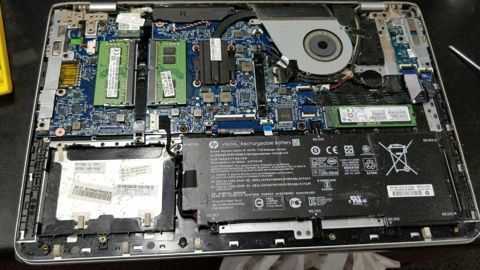
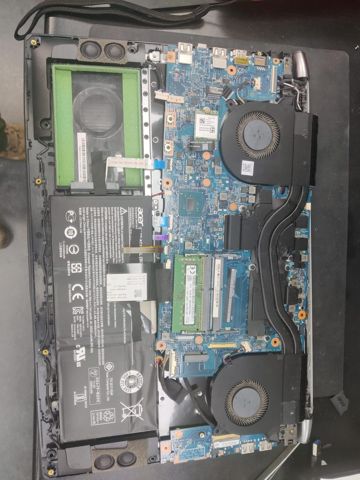
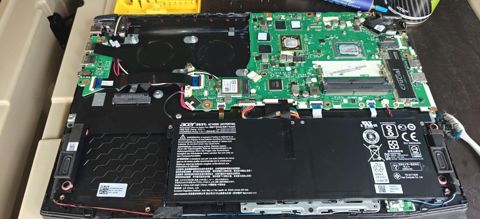
Battery replacement: work in the workshop
Serving Mount Druitt and 12km around
Ready to get it fixed?
Book online in two minutes or call us. $274 fixed labour, diagnosis included.