
Overheating & fan noise
Laptops that run hot throttle themselves, crash, shut down mid-task and eventually cook their own components. Most of the time the cause is dust, dried-out thermal paste or a failing fan, and all three are fixable.
What we fix
- Laptops that get too hot to sit on your lap
- Fans running loud and constantly
- Shutting down or restarting under load
- Games and video calls stuttering after a few minutes
- Full strip-down, dust clean-out and fresh thermal paste
- Fan replacement and heatsink repair
Price
| Overheating clean & repair Strip-down, dust clean-out, fresh thermal paste and fan check | $274 labour Fan or heatsink extra if one has failed |
Includes the $88 diagnosis. Pickup and delivery included. All prices
What overheating looks and sounds like
The fan roars while you're only browsing or on a video call, the underside near the hinge is too hot to touch, and the laptop slows down or shuts off without warning. In games, the frame rate drops sharply a few minutes in, once the heat builds up.
Fanless laptops such as the MacBook Air don't get noisy. They slow themselves down instead, so heavy work like video exports gets gradually slower. Grinding, rattling or ticking from a fan means the fan itself is wearing out.
What causes it
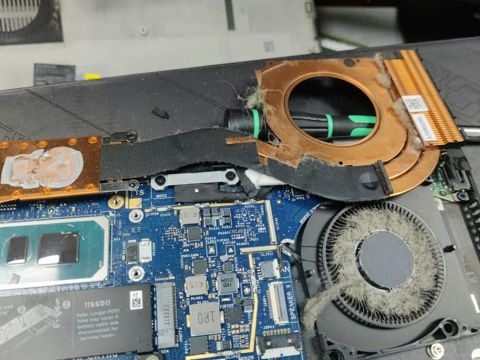
Dust, lint and pet hair build up between the heatsink fins where the fan pushes air out, and eventually form a mat that blocks airflow almost completely. At the same time the thermal paste between the processor and the heatsink dries out and stops carrying heat away well.
Using a laptop on a bed or couch blocks the intake vents, which speeds all of this up. Sometimes the cause is software: a stuck program or background process can keep the processor busy and the fan running. On desktops, poor case airflow or a failing pump on a liquid cooler causes the same symptoms.
Gaming laptops and thin laptops with powerful processors suffer most, because they pack a lot of heat into very little space and their fans and fins are small.
How we fix it
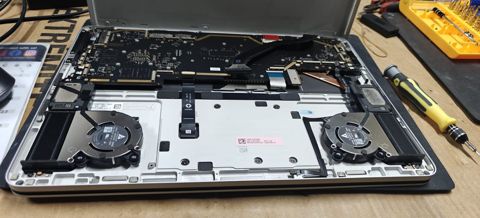
We first check whether something in software is keeping the processor busy, and log temperatures and clock speeds so we have a starting point. Then the laptop is stripped down, the heatsink and fans are cleaned out, the old paste is removed and fresh paste applied. Where the design uses thermal pads on memory or power components, they're replaced with pads of the correct thickness.
A fan with worn bearings is replaced rather than cleaned. Labour is the fixed $274, which includes the $88 diagnosis, and any fan or heatsink is quoted first.
Afterwards we run processor and graphics stress tests while logging temperatures and clock speeds, compare the numbers with the starting point, and confirm the fan ramps up and settles as it should.
Keeping it cool afterwards
Use the laptop on a hard, flat surface and keep the vents clear. If you use it on a bed, a tray or firm board under it helps a lot.
Many laptops have a power or thermal mode in their settings or manufacturer app. A balanced mode is usually quieter with little difference for everyday work. If you have pets or carpet, the heatsink will clog faster, so plan on a clean every couple of years.
Typical jobs
A typical job: a gaming laptop whose frame rate drops sharply a few minutes into a game. We log temperatures and clock speeds, strip it down, clear the dust mat from the heatsink fins, replace the dried thermal paste and pads, then stress test it and compare the numbers. Most repairs like this are done within 72 hours.
A typical example: a family laptop used on the couch, with a fan that grinds and a base too hot to rest on your legs. The fan bearing is worn, so we replace the fan, clean the heatsink, apply fresh paste, and check the fan ramps up and settles as it should.
Another typical job: a desktop that shuts down partway through video exports. The pump on its liquid cooler has failed, so we quote a replacement cooler, fit it, tidy the case airflow, and run long processor stress tests to confirm it stays at safe temperatures under sustained load.
When the heat has already done damage
Long-term heat can swell a battery, wear out a drive early and, on some models, cause the graphics or processor chip to lose contact with the board. If we find damage like that during diagnosis, we'll tell you before doing a clean that won't fix it, and we'll talk through whether the laptop is worth repairing.
Questions
Why has it started overheating now?
Can overheating damage my laptop permanently?
Do I need a cooling pad?
How hot is too hot for a laptop?
Why is my laptop fan so loud all the time?
How often should a laptop be cleaned inside?
How long does an overheating repair take?
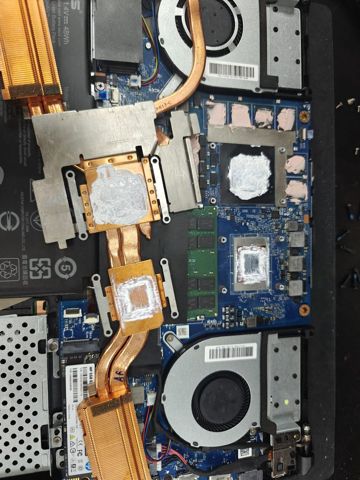
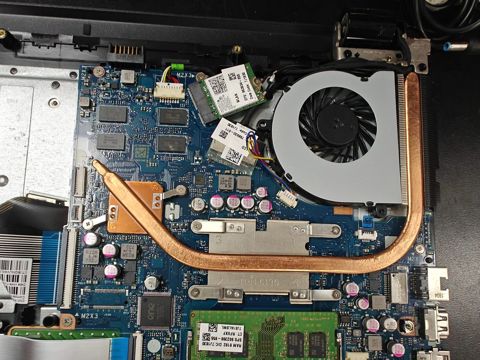
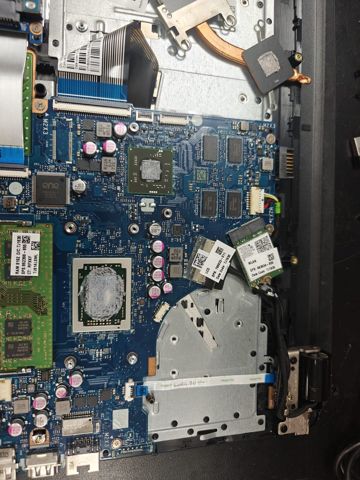
Overheating & fan noise: work in the workshop
Serving Mount Druitt and 12km around
Ready to get it fixed?
Book online in two minutes or call us. $274 fixed labour, diagnosis included.