
Printer installation and configuration
Getting a printer installed properly is mostly about the network it sits on, the driver on each computer, and the scanning nobody set up. We install new printers, reconnect ones that stopped, and configure the whole lot so every device in the house or office can print and scan.
What we fix
- Installing a new printer and connecting every computer to it
- Wireless printers that will not connect or stay connected
- Printers that stopped working after a modem or NBN change
- Drivers, print queues and printers stuck showing offline
- Scan to email and scan to a shared folder
- Printing from phones and tablets
- Shared printers across a small office
- Fixed network addresses so it keeps working
Installing a new printer
Out of the box, a printer will usually join a network and print from the one computer you set it up on. That is where most installations stop, and it is why the second computer in the house cannot print a week later.
A proper installation means joining the printer to the right network and the right band, giving it a fixed address so it does not move, installing the correct driver on every computer that needs it, setting the default tray and paper size, and configuring the scanning side as well as the printing side.
We also set up printing from phones and tablets where you want it, and we test a real page from every device rather than trusting the printer's own test sheet. You get the network details we used written down, so the next person who touches it is not guessing.
The problems we get called about
The most common by far is a printer that worked for years and stopped the week the internet was changed over or a new modem arrived. Nothing is wrong with the printer, it simply lost the network it was joined to.
Next is a new computer that will not see an existing printer, or a new printer that installs on one machine and not the others. Then there are jobs that disappear into the queue, printers that show as offline while sitting there switched on, and scanning that stopped working while printing still does.
In small offices the pattern is different again: everyone printing to the same machine, one desk that cannot, and a printer whose network address keeps changing so half the computers lose it.
Why a modem change breaks printing
A wireless printer stores one network name and password. Replace the modem, change the network name, or change the password, and the printer is still looking for a network that no longer exists. It stays switched on and looks fine, which is what makes it confusing.
The second half of the problem is the address. Most home networks hand out addresses automatically, and after a modem change the printer often ends up with a different one from the one each computer was told to use. The computers keep sending work to the old address and nothing happens.
That is why we give a printer a fixed address on the network as part of a proper setup. It costs nothing and it is the difference between a printer that keeps working and one that needs attention every time something changes.
What a setup actually involves
Joining the printer to the right network, on the right band, since many printers only work on 2.4GHz and will not see a network broadcast only on 5GHz. Then fixing its address, installing the correct driver on each computer that needs it, and setting the default correctly.
Then scanning, which is the part most often left half-done. Scan to email needs the printer set up with a mail account, and scan to a shared folder needs the folder, the permissions and the printer's credentials to match. Both tend to break when a password changes, so we note what was used.
Finally we test from every device that needs to print, including phones and tablets where you want them, and we print and scan a real page rather than relying on the printer's own test sheet.
When the printer itself is the problem
Some faults are mechanical or consumable rather than technical: paper feed rollers that have gone glazed, a print head that has dried out on an inkjet that sits unused, or toner and drum units at the end of their life. We will tell you which of those you are looking at.
We are upfront that repairing the mechanics of a cheap inkjet rarely makes sense. Once the labour is counted, a replacement printer usually costs less than the repair, and we would rather say that than charge you to find out.
For business machines and larger laser printers it is a different calculation, and worth assessing properly. Either way you get our view before you spend anything.
How we do the work, and what it costs
A lot of printer work can be done over remote support at $179 per hour, with nothing collected and nobody at your door. Drivers, queues, offline printers and reconnecting to a new network all suit that, as long as one computer on the network still works.
Where the printer needs hands on it, or where several computers and devices all need setting up, we come to you. Onsite visits are quoted separately from the repair price, so you know the cost before we come out. We work across an area of about 12km around Mount Druitt.
Have your Wi-Fi name and password ready, and the login for the computers involved. If the printer has been reset or is brand new, keep the setup sheet it came with, since it sometimes carries a code we need.
Typical jobs
A typical job: a home printer that stopped after a new modem arrived. Over remote support we rejoin the printer to the new network, give it a fixed address so it will not drift again, correct the driver on each computer and test a page from all of them.
A typical example: a small office where one desk cannot print while the others can. We find that computer pointing at an old printer address, correct it, set the printer to a fixed address on the network, and check scanning to the shared folder still works from every machine.
Another typical job: a new computer that will not see the existing printer. We install the correct driver for the exact model rather than a generic one, set it as the default, connect scanning, and print and scan a real page before finishing.
Questions
My printer stopped working after the NBN modem was replaced. Why?
Why does my printer show as offline when it is switched on?
Can you set up a printer for everyone in the house?
Do you repair printers as well as set them up?
Can printer problems be fixed remotely?
Can you install a printer I have already bought?
How long does a printer installation take?
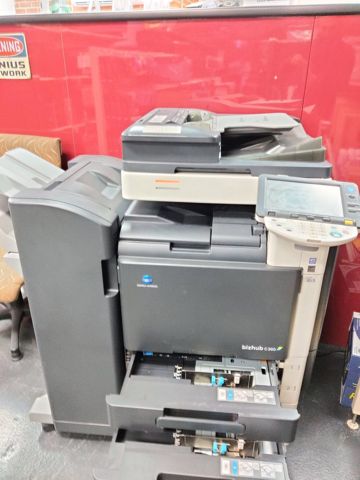
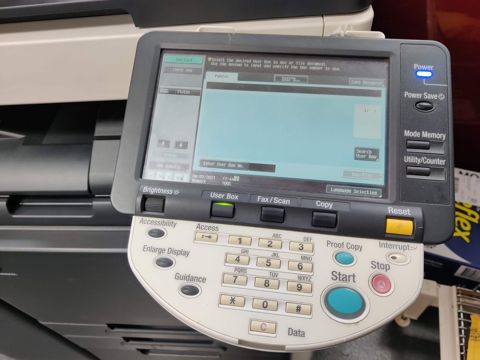
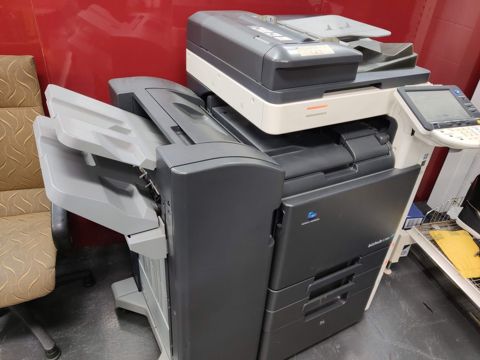
Printer installation & setup: work in the workshop
Serving Mount Druitt and 12km around
Ready to get it fixed?
Book online in two minutes or call us. $274 fixed labour, diagnosis included.