
Essential Eight for small business
The Essential Eight is the Australian Signals Directorate's list of eight mitigation strategies that block most of the attacks small businesses actually meet. It is written for organisations of any size, and a good deal of it is achievable in a small office.
What we do
- A plain-language walk through all eight strategies
- An honest look at where your office sits today
- Multi-factor sign-in across email and remote access
- Patching applications and operating systems on a schedule
- Admin rights separated from everyday accounts
- Backups that are tested, not just scheduled
What the Essential Eight is
The Essential Eight comes from the Australian Signals Directorate, through the Australian Cyber Security Centre. It is eight mitigation strategies, chosen because together they stop or limit the large majority of attacks that organisations actually experience, rather than the exotic ones that make the news.
It is not a law for private business. Non-corporate Commonwealth entities are required to work to it, and that requirement has flowed outwards: insurers, head offices, councils and larger clients increasingly ask their suppliers where they sit against it, which is how most small businesses first hear the phrase.
The value for a small business is that it is a short, specific list written by people with no product to sell. Eight things, in a sensible order, with a way of measuring whether you have actually done them.
The first four: stopping things from running
Application control means only approved programs can run. In a small office the practical version is not a full whitelist on day one, it is stopping software from running out of the folders where downloads and email attachments land, and taking away the ability for staff to install whatever they like.
Patch applications means updating the software on your machines, prioritising anything facing the internet and anything with a known exploit. The model sets timeframes: days for internet-facing services with a serious flaw, weeks for ordinary applications. Removing software nobody uses counts as patching it, and is often easier.
Configure Microsoft Office macro settings means blocking macros in files that came from the internet, and allowing them only where the business really does run on a macro-enabled spreadsheet. User application hardening means turning off the risky extras: browser plug-ins nobody needs, web advertising, and features in Office and PDF readers that exist mainly as an attack route.
The second four: limiting damage and getting back
Restrict administrative privileges means everyday work happens in an account that cannot install software or change the system, with admin rights used only for the task that needs them. The point is that an attack inherits whatever rights the person was using at the time, and most small offices give everyone full rights by default.
Patch operating systems is the same discipline as patching applications, applied to Windows, macOS and anything running on the network, including the firewall and the switches. It also means replacing operating systems that no longer get updates at all, which is where a lot of small businesses quietly fail.
Multi-factor authentication means a password alone is not enough to get in, especially for email, remote access and anything internet-facing. Regular backups means backing up data, settings and configuration, keeping them where an attacker who owns your network cannot reach them, and testing restores rather than trusting a green tick.
What the maturity levels mean
The Essential Eight is measured with a maturity model that runs from Maturity Level Zero to Maturity Level Three. Level Zero means there are weaknesses in the way a strategy is implemented, which is where most businesses start, and there is nothing shameful about it.
Level One is aimed at attackers using widely available tools and techniques, which is what the automated attacks hitting small businesses look like. Level Two assumes a more capable attacker who invests more effort in a target, and Level Three assumes one who adapts to whatever defences are in place.
Two points are easy to miss. The strategies are meant to be implemented as a package, so being excellent at backups and absent on multi-factor does not average out. And you are meant to reach a consistent level across all eight before pushing any one of them higher.
Where most small offices actually sit
The common picture is a business doing three or four of the eight reasonably well without ever calling it the Essential Eight. Backups exist, Windows updates mostly install, and multi-factor is on for email because Microsoft prompted for it.
The gaps are usually the same ones. Everyone runs as an administrator on their own machine, and applications other than Windows are years behind, particularly PDF readers, browsers and the line-of-business program nobody wants to touch.
The other two are just as common. Backups have never been restored from, so nobody knows whether they work. And a remote access port is open to the internet because somebody needed to work from home in a hurry two years ago.
None of those four is expensive to fix. They are the highest-value work available to a small business, which is why we start there rather than with the parts that need new software and a project.
What we do, and what we do not claim
We work through the eight with you in plain language, look at what is actually in place rather than what is assumed, and give you a written list of gaps in priority order with what each one takes to close. Then we do the work, or hand the list to whoever you want doing it.
What we do not do is certify anybody. There is no Essential Eight certificate for a business to hold, and we are not an accredited assessor of any scheme. Anyone offering to certify your small business against the Essential Eight is selling something that does not exist in that form.
If an insurer, a client or a head office has sent you a questionnaire, we can help you answer it accurately, including the questions where the accurate answer is no. Overstating your position on a form is a poor trade, because that form tends to reappear at claim time. Our network and security page covers the day-to-day work that sits underneath all of this.
Typical jobs
A typical job: a business asked by its insurer to state whether it meets the Essential Eight, with nobody in the office sure what the question means. We work through the eight, write down where things actually stand, and give the owner an accurate answer plus a list of what to fix first.
A typical job: an office of twelve where every staff member is a local administrator and a shared password opens everything. We set up separate admin accounts, move everyday work to standard accounts, and get multi-factor on email and remote access without stopping anyone from doing their job.
A typical job: a tender response asking for evidence of patching and backup testing. We put patching on a schedule that is recorded rather than assumed, run a test restore and document the result, so the business has real evidence instead of a claim.
Questions
Is the Essential Eight compulsory for our business?
Can a small business realistically reach Maturity Level One?
Do you issue an Essential Eight certificate or report?
Which of the eight should we do first?
How much does an Essential Eight review cost?
Essential Eight: work we have done
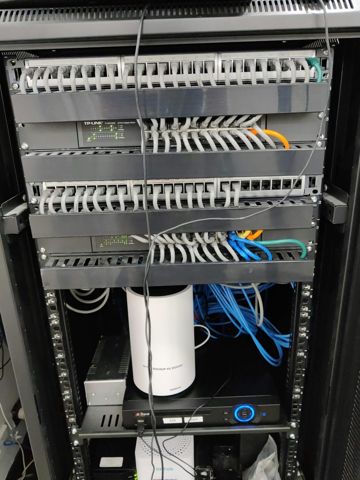
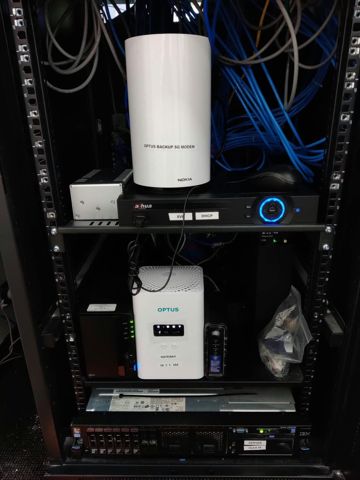
Serving Mount Druitt and 12km around
Ready to get it sorted?
Call for a chat about what you need. Onsite and business work is quoted per job or per visit.