
Backup and disaster recovery
Almost every business we meet has a backup. Far fewer have ever restored anything from it. The difference between those two states is the entire point of this page, and it is usually discovered on the worst possible morning.
What we do
- Backups set up properly, onsite and offsite
- Existing backups checked, and actually restored from
- Microsoft 365 data backed up separately from Microsoft
- Ransomware-resistant copies that cannot be encrypted from a PC
- NAS and server backups, monitored rather than hoped for
- Failover internet on 4G or 5G for when the line drops
- A written plan for what happens in what order
- Recovery after a failure, a flood, a theft or an attack
The backup you have is not the backup you think you have
The most common failure we see is not the absence of a backup. It is a backup that stopped working months ago and told nobody. A password changed, a drive filled up, an external disk was unplugged and never reconnected, a subscription lapsed, or a scheduled task quietly started failing after an update.
The second most common is a backup that runs perfectly and backs up the wrong thing. The documents folder but not the accounting data. The server but not the machine on the shop floor where the important spreadsheet actually lives. Everything except the one database the business runs on.
The third is a backup that exists, is complete, and cannot be restored — because nobody has ever tried, and when they finally do, the file format needs software they no longer have, or the restore takes four days over an internet connection nobody measured.
None of these get discovered by looking at a green tick. They get discovered by restoring something, on purpose, while everything is fine. That is the single most useful thing we do on this subject.
Three copies, two places, one offsite
The rule of thumb that has survived everything the industry has thrown at it: three copies of your data, on two different kinds of storage, with at least one of them somewhere else.
The working copy is the data on the machine. The second copy is local — a NAS or a server — which is what makes a normal restore quick, because pulling a file back over your own network takes seconds rather than hours.
The third copy is offsite, and it is the one that saves the business rather than the afternoon. Fire, flood, theft and ransomware all take out everything in the building, and an external drive sitting next to the server is in the building. Offsite means cloud storage, or a rotated drive that genuinely leaves the premises, not one that lives in the same room.
Which of those makes sense for you depends on how much data you have, how fast you would need it back, and what your internet connection can realistically move. We size it against those three things rather than selling a standard package.
Ransomware changes the requirements
Ransomware is the reason the old approach is not enough. It does not just encrypt the computer it landed on — it goes looking for every network drive, mapped folder and backup location that computer can reach, and encrypts those too. A backup drive permanently connected to an infected machine gets encrypted along with everything else.
So the backup needs to be somewhere a compromised PC cannot reach and cannot delete: storage with separate credentials, versioning that keeps older copies, or immutability that prevents changes for a set period. The principle is that the machine being backed up should not have the power to destroy its own backups.
It also changes what recovery looks like. You are not restoring one file, you are rebuilding machines and restoring everything, while trying to work out how they got in so it does not happen again the following week. That takes days, not hours, and it is worth knowing that before rather than during.
Prevention sits alongside this rather than replacing it — see network security and cyber security and the Essential Eight.
Microsoft 365 is not backed up the way you think
This surprises people, so it is worth being blunt. Microsoft keeps your data highly available — it is replicated, and their infrastructure is not going to lose it. That is not the same as backing it up for you.
What Microsoft's retention protects against is limited and time-bound. Deleted items and deleted mailboxes are recoverable for a window and then they are not. A file destroyed in SharePoint or OneDrive, an account deleted when someone left, a mailbox emptied by someone who was angry, or a mass encryption synced into the cloud by ransomware can all leave you outside that window.
So a separate backup of Microsoft 365 — mail, OneDrive, SharePoint and Teams — is a genuine requirement, not an upsell. It is inexpensive, it runs on its own, and you need it exactly once.
The same reasoning applies to any cloud service holding data you cannot trade without, including accounting software. Ask the provider what happens if you delete something and notice in three months. The answer is often uncomfortable.
Two questions that decide everything else
How much data can you afford to lose, and how long can you afford to be down? Everything else is a consequence of those two answers.
If losing a day of work is survivable, a nightly backup is fine. If losing an hour of orders is not, backups need to run through the day. Businesses often answer this instinctively with "none" and "no time", then change their minds when they see the cost — which is the point of asking. It is a budget decision, not a technical one.
How long you can be down decides how the recovery is built. Restoring a file is minutes. Rebuilding a failed server from an offsite copy is a day or more, unless there is a local copy to work from. If you cannot be down that long, you need a standby you can run from while the real repair happens, and that costs more.
We will give you the honest number for each option rather than a vague assurance. A plan you have rejected as too expensive is more useful than one you believe in and cannot afford to deliver.
When the internet is what fails
For a business where card payments, phones or cloud software stop when the line drops, the outage that hurts is not always a data loss. An NBN fault can take days to resolve, and the provider's timeframe is not negotiable.
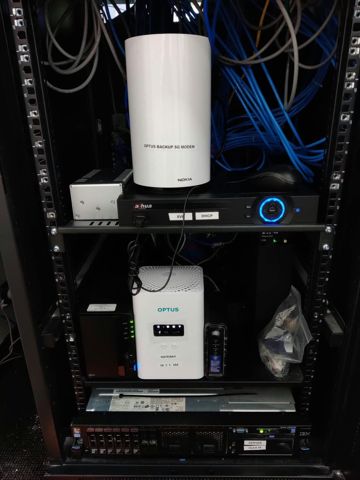
A second connection on 4G or 5G that takes over automatically turns that from a closed day into a slower one. The hardware sits in the comms rack, monitors the main connection, and switches across without anyone touching it.
It is worth costing against a day of lost trade rather than against the monthly fee. For some businesses it is obviously worth it and for others it plainly is not, and we will say which we think you are.
A plan written down, not held in someone's head
When something goes badly wrong, people do not think clearly. The value of a written plan is that it removes the need to.
So: what to do first, who to call, where the backups are and how to reach them, what the account details are and where they are kept, which systems come back first and which can wait, and who tells customers and staff what is happening.
It should also say what to do before calling anyone — with ransomware, disconnecting the affected machine from the network without switching it off is usually the right first move, and switching it off can destroy the evidence of how they got in.
One printed copy. If your plan only exists on the server, you will find out at exactly the wrong moment that you cannot read it.
Where we fit
We will look at what you have now and tell you plainly whether it works, including doing a real restore rather than reading a status screen. That alone resolves most of this, and sometimes the answer is that you are fine and need nothing.
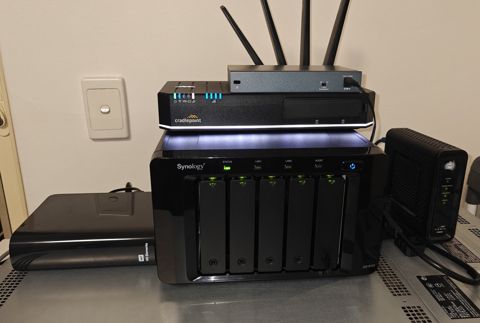
Where it does not work, we size and set up what does: local backup to a NAS or server, an offsite copy, Microsoft 365 backed up separately, failover internet if the case is there, and monitoring so a failure raises an alarm instead of waiting to be noticed.
Ongoing checking is where this most often falls apart, because it needs someone to care every week rather than once. If you want that owned properly, it belongs on a managed plan — see managed IT — rather than being remembered by whoever happens to be in the office.
This work is quoted per job. There is no standard package, because sizing depends on your data, your connection and your tolerance for downtime.
Typical jobs
A typical job: a business whose backup had shown green for eight months. The test restore failed because the destination had filled up in March and the software had been reporting success on a partial job ever since.
A typical example: a NAS backing up the server nightly, with nothing offsite. We added an offsite copy with versioning, so a ransomware event on a workstation can no longer reach or destroy the only good copy.
Another typical job: a departing staff member's mailbox and OneDrive needed three months after the account was removed, and the retention window had closed. Now backed up separately, so the same request takes ten minutes.
A quieter one: a quarterly restore test. We pick a file at random, restore it, and confirm it opens. Fifteen minutes, and it is the only evidence that any of this works.
Questions
We already have a backup. Why would we need you?
Isn't Microsoft 365 backed up by Microsoft?
Will a backup protect us from ransomware?
How often should backups run?
How long does it take to get back up after a failure?
Is an external hard drive enough?
What about our accounting software in the cloud?
Can you set up failover internet?
What should we do first if we get hit by ransomware?
Backup & disaster recovery: work we have done
Serving Mount Druitt and 12km around
Ready to get it sorted?
Call for a chat about what you need. Onsite and business work is quoted per job or per visit.