
SSD & RAM upgrades
Often the cheapest way to fix a slow computer is a solid-state drive. We fit the upgrade and move Windows, your programs and your files across, so it starts up just as you left it, only faster.
What we fix
- Hard drive to SSD upgrades, with everything moved across
- RAM upgrades
- Larger drives for more storage
- Graphics card and power supply upgrades for desktops
Price
| SSD & RAM upgrades Fitting the upgrade and moving Windows, programs and files across | $274 labour Drive or memory extra |
Includes the $88 diagnosis. Pickup and delivery included. All prices
Signs an upgrade will help
The classic sign is a computer that takes several minutes to start, spins or freezes when opening programs, and shows the disk at 100 per cent in Task Manager while doing very little. That's usually an old mechanical hard drive, and an SSD makes the biggest single difference to how the machine feels.
If it slows down only when lots of browser tabs or programs are open at once, memory is the likely limit. Running out of space is the other common reason people ask, especially on laptops sold with small drives.
On desktops, the questions are usually different: more storage for photos and games, or a graphics card for newer software.
Checking what your computer can take
Not every computer can be upgraded. Apple has soldered RAM to the board on MacBooks for years, and on current models the storage is soldered too, so neither can be changed after purchase. Many thin Windows laptops have some or all of their memory soldered as well, sometimes with one spare slot.
Where it can be upgraded, the details matter. SSDs come in 2.5-inch SATA and several M.2 lengths, and an M.2 slot may take SATA, NVMe or only one of them. Memory has to match the generation, speed and the maximum the board supports. On desktops we also check the power supply, the connectors and the case space before recommending a graphics card.
How the upgrade is done
We check the existing drive's health first, since a failing drive needs careful handling to copy. Then we clone Windows, your programs and your files to the new SSD, confirm it boots in the right mode and that Windows is still activated.
Labour is the fixed $274, which includes the $88 diagnosis, and parts are quoted and approved before we order them. Afterwards we run a memory test on any new RAM, check the new drive's health and that TRIM is on, compare start-up times, and make sure your programs open and your files are where you left them.
Before you book
If your computer uses BitLocker or device encryption, find your recovery key before it comes in. It's usually saved in your Microsoft account, and cloning an encrypted drive without it can lock you out. Mac users with FileVault should know their login password.
Back up anything important anyway, as you should before any work on a drive. Your old drive comes back to you, or we can wipe it for you if you'd rather not keep it.
Typical jobs
A typical job: a family laptop that takes several minutes to start and shows the disk at 100 per cent. We check the old hard drive's health, clone Windows, programs and files to a new SSD, and confirm Windows is still activated. Most upgrades like this are done within 72 hours, and the old drive comes back to you.
A typical example: a work laptop that slows to a crawl with lots of browser tabs open. We check how much memory is soldered and whether a slot is free, then fit matching RAM, run a memory test over several passes and confirm the laptop is using the full amount.
Another typical job: a desktop that needs a graphics card for newer software. Before recommending one, we check the power supply, the connectors and the space in the case. Once the card is fitted, we install the drivers and run a stress test while watching temperatures.
When an upgrade isn't worth it
An SSD can't fix an old processor. If the CPU is too old for Windows 11 or struggles with a modern browser, more parts won't change that, and Windows 10 stopped receiving regular security updates in October 2025. We'll check your processor against Windows 11 requirements before suggesting an upgrade.
If the machine isn't worth putting money into, we'll say so and help you choose a replacement, with your data moved across.
Questions
Is it worth upgrading or should I buy new?
Can you upgrade the RAM in a MacBook?
Will an SSD make my old laptop faster?
What happens to my old hard drive after an upgrade?
How long does an upgrade take?
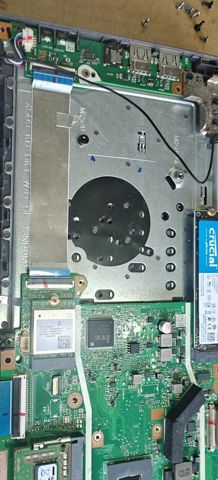
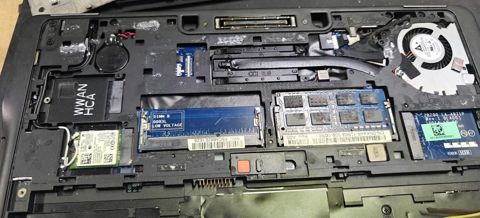
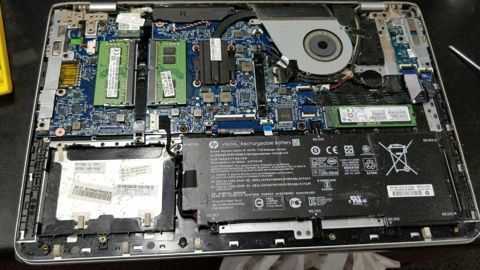
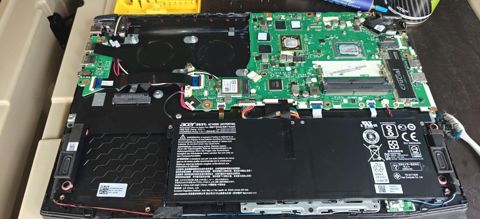
SSD & RAM upgrades: work in the workshop
Serving Mount Druitt and 12km around
Ready to get it fixed?
Book online in two minutes or call us. $274 fixed labour, diagnosis included.