
Mac and MacBook repairs
We work on MacBook Air and MacBook Pro, iMac and Mac mini, from cracked lids and worn batteries to macOS that will not finish an update. We are an independent repairer with no Apple affiliation, so we tell you up front where that limits what can be done on your model.
What we fix
- MacBook screens and complete lid assemblies
- Batteries showing Service Recommended
- Keyboards, trackpads and top cases
- Liquid spills and corrosion cleaning
- Storage and memory where the model allows it
- macOS that will not start, update or log in
Which Macs we work on
We take on MacBook Air and MacBook Pro, iMac and Mac mini, on both Intel and Apple silicon. The model year matters more than the name, because Apple has changed how these machines come apart several times, and what is a simple part swap on one generation is a board-level job on the next.
The quickest way to tell us what you have is the serial number, found under About This Mac, on the underside of a MacBook or on the base of a Mac mini. With that we can confirm the generation and tell you before you book whether the part you need is still available.
We do not work on iPhones or iPads. If a Mac problem turns out to sit with your Apple Account or an activation lock, we will say so early, because that is something only you or Apple can clear.
What usually brings a Mac in
Battery wear is the most common. macOS starts showing Service Recommended, the machine runs for an hour instead of most of a day, or the case begins to flex because the cells have swelled and are pushing up under the trackpad.
Accident damage is next: a cracked lid, a bent corner after a drop, or a drink across the keyboard. Some MacBook generations use a very low-profile key mechanism that is sensitive to crumbs and dust, and those arrive with keys that stick, repeat or do nothing at all.
Then there is software. Updates that stop partway, a Mac sitting on the Apple logo or showing a question-mark folder, a startup disk that has filled, or a login password the machine refuses to accept. Those often need no parts.
Where Apple parts get complicated
On current Macs the memory and the storage are part of the main board, so neither can be added to or swapped afterwards, and a replacement board starts you with empty storage. Older Intel iMacs and some older MacBook Pro models do have slots, which is why we check the generation first.
Several parts are also serialised. The machine records which battery, display or Touch ID module it was built with, so fitting a working part from another Mac can leave macOS showing a service warning, or leave the fingerprint sensor unpaired. We tell you which of those apply to your model before you spend anything.
Supply is the other limit. Panels and top cases for older MacBooks can be hard to source, and on many models the screen only comes as a complete lid assembly. Where a part is scarce, or its cost lands close to what the Mac is worth, we say so and you can stop at the $88 diagnosis.
How a Mac repair runs
We are fully mobile, so there is nothing to drop off. Pickup and delivery is $50 and covers collection and return, and you pick a slot of 9am to 12pm, 12pm to 3pm or 3pm to 6pm. Software-only problems can often be handled by remote support at $179 per hour instead.
Labour is a fixed $274 on any repair, and that includes the $88 diagnosis. Parts are quoted and approved before we order them, and if you decide not to go ahead after the diagnosis, the $88 is all you pay.
Most repairs are done within 72 hours. Apple parts that have to be ordered can add time, and we tell you if that applies when we quote. New parts carry a 12-month warranty and our workmanship is covered for 90 days.
macOS, FileVault and your files
If the Mac still starts, back it up before it comes to us, and we will help you get a Time Machine backup going if there is not one. If it will not start, tell us at the booking whether the files matter more than the machine, because that changes the order we work in.
FileVault is on by default on recent Macs. That is good protection, and it also means that without your login password or the recovery key the data cannot be read by anyone, us included. Find that password before the Mac comes in.
Where a board has failed and the storage is soldered to it, reaching the data means getting that board running again, even briefly, and that is not always possible. We tell you what we found and what the real options are before you decide how far to take it.
Typical jobs
A typical job: a MacBook Pro showing Service Recommended that lasts about an hour off the charger. We read the cycle count and capacity, confirm the charger and port are fine, then fit a matched battery, release the old adhesive carefully and check the trackpad clicks properly once the case is closed.
A typical example: an iMac that takes several minutes to reach the desktop. We check the generation, confirm the drive is a mechanical or fusion type that can be replaced, quote the part, open the display carefully, fit an SSD and move the system and files across before testing.
Another typical job: a MacBook that stops partway through a macOS update and restarts in a loop. We check the storage health first, then repair or reinstall macOS from recovery, keeping the data where we can, and confirm the machine completes a full update cycle before it goes back.
Questions
Do you repair MacBooks as well as Windows laptops?
How much does a MacBook repair cost?
Is it worth replacing a MacBook battery?
Can you upgrade the storage in a MacBook or iMac?
My Mac will not turn on. What should I try first?
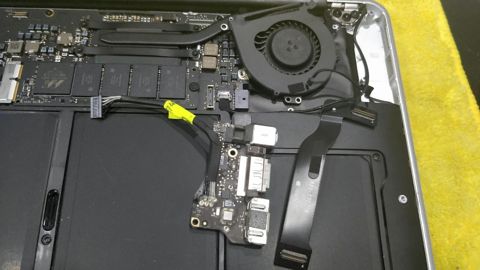
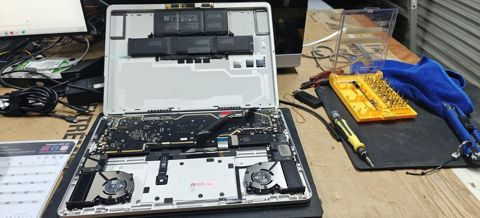
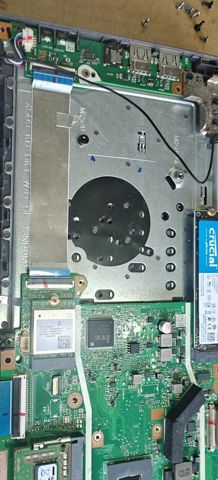
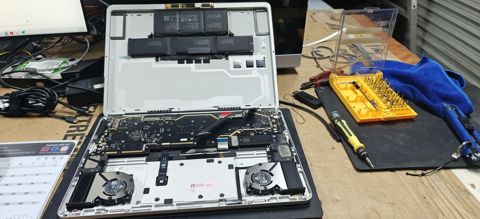
Mac and MacBook repairs: work in the workshop
Serving Mount Druitt and 12km around
Ready to get it fixed?
Book online in two minutes or call us. $274 fixed labour, diagnosis included.