
Virus removal & software fixes
Slow start-ups, pop-ups, scam warnings, Windows that won't update or won't boot. Software problems make up nearly a third of our work, and most of them need no parts at all.
What we fix
- Virus, malware and scam pop-up removal
- Slow computers cleaned up and tuned
- Windows errors, failed updates and boot loops
- Format and reinstall, with or without a backup of your files
- Email, printer and software set-up
Price
| Virus removal & software fixes Malware removal, clean-up, updates and a security check | $274 labour No parts needed |
| Windows format & reinstall Clean install of Windows, drivers and your programs | $274 labour No parts needed |
| Backup, reinstall & restore Your files copied off first, clean install, then your files put back | $274 labour Backup drive extra if you need one |
Includes the $88 diagnosis. Pickup and delivery included. All prices
Signs something isn't right
Infections rarely announce themselves. More often your browser homepage has changed, searches go to an unfamiliar search engine, new toolbars or extensions appear, or pop-ups keep telling you the computer is infected and to call a phone number.
Other signs are fans running hard while you're doing nothing, programs you don't remember installing, friends getting odd emails from your address, or files suddenly renamed with strange extensions and a note asking for payment. That last one is ransomware, and the computer should be switched off and disconnected from the internet straight away.
Where the problems come from
Most infections are let in by accident: a fake download button, a free program bundled with extras, a browser site that was allowed to send notifications, or cracked software. Remote access scams are also common, where a caller talks you into installing a tool that gives them control of the computer.
Not every slow computer has a virus. Dozens of programs loading at start-up, a nearly full drive, a stack of failed Windows updates or an ageing hard drive can all feel the same from the chair, which is why we check the hardware before blaming software.
How we clean it up
We check the drive's health first, because a failing drive can look like a software fault and a clean-up won't fix it. Then we scan the system, remove malware and unwanted programs, clear out rogue browser extensions and notification permissions, trim start-up items and get Windows or macOS fully updated.
If a scammer had access, we look specifically for remote access tools and new user accounts they may have left behind. Where the system is too damaged to trust, we back up your files, reinstall cleanly and put the files back. Most software jobs need no parts, so the fixed $274 labour, which includes the $88 diagnosis, is usually the whole cost.
Before it comes back we restart it several times, confirm updates install, check the browser behaves and run a final scan.
If you've been scammed
Use a different device to change your email and banking passwords, and call your bank. Turn on two-step verification for your email if it isn't already on, since that account can be used to reset everything else.
Tell us what happened and roughly when, so we know what to look for. Don't pay anyone who claims they can unlock files or refund you, as that is often the second stage of the same scam.
Typical jobs
A typical job: a family laptop where every search goes to an unfamiliar search engine and pop-ups warn that the computer is infected. We check the drive's health, remove the adware and rogue extensions, clear the notification permissions and update Windows. Jobs like this can often be done by remote support at $179 per hour.
A typical example: a retiree's computer after a caller claiming to be from their internet provider talked them into installing remote access software. We disconnect it from the internet, look for remote access tools and new user accounts, remove them, and help change email and banking passwords from a separate device.
Another typical job: a small office PC with files renamed and a ransom note on the desktop. We keep it offline, check whether backups or cloud version history can restore the files, then reinstall Windows cleanly and set up a backup the next infection can't reach. Most repairs are done within 72 hours.
Before you bring it in
Write down any passwords you'll need after a reinstall, such as your email, Microsoft or Apple account, and product keys for software like Microsoft Office. If you can still use the computer, copy your most important files to a USB drive or cloud storage.
Many software problems, such as pop-ups and browser hijacks, can often be fixed by remote support at $179 per hour. If the computer won't start, or a scammer has had control of it, it's safer for us to have it in hand.
Questions
Will I lose my files?
Someone called me and took over my computer. Can you help?
Do Macs get viruses?
Can you remove a virus remotely?
Is it better to reinstall Windows or just remove the virus?
How long does virus removal take?
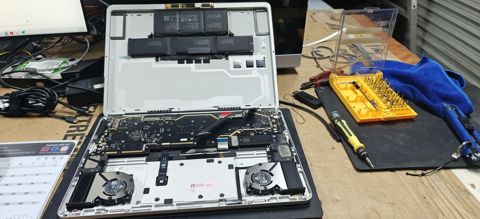
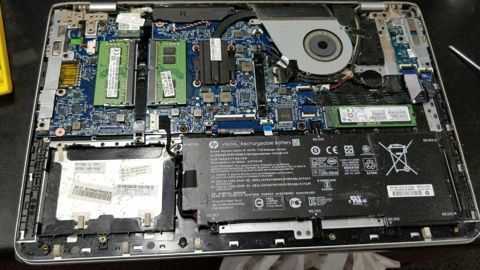
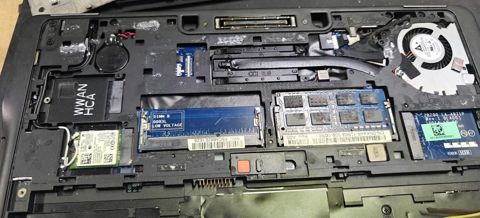
Virus removal & software fixes: work in the workshop
Serving Mount Druitt and 12km around
Ready to get it fixed?
Book online in two minutes or call us. $274 fixed labour, diagnosis included.