
Laptop hinge repair
A hinge problem is one of the few laptop faults that gets worse every single time you use the machine. Opening the lid is what does the damage, so the sooner it is looked at, the smaller the job.
What we fix
- Lids that are stiff, grinding or will not stay up
- Hinge mounts pulled out of the case
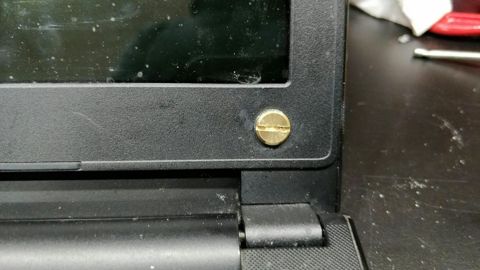
- Cracked bezels and lifting plastic around the screen
- Screen cables damaged where they pass the hinge
- Screws that no longer bite in the lid or base
- Hinges seized after a drop
What a failing hinge looks like
Early on the lid just feels wrong: heavier than it used to be on one side, grinding slightly, or not staying at the angle you leave it. Some laptops start to creak when the lid moves.
Then the case begins to separate. A gap opens between the screen bezel and the lid, the plastic around the hinge lifts each time the laptop opens, and the base may bulge near the corner. Once you can see the internals through the gap, the mounts have already gone.
The late stage is a lid that will not close flat, a screen that flickers or goes dark at certain angles, and cracked glass at the corner where the hinge has been twisting the panel.
Why they fail
Hinges are usually designed to outlast the laptop. What fails first is what they are attached to: on plastic-bodied machines the screws thread into small moulded posts, and those posts crack under years of opening and closing, especially if the lid is opened from one corner.
Once a mount is loose, the load shifts to the remaining screws and they fail more quickly. That is why hinge damage accelerates. A machine that has been carried in a bag with the lid under pressure, or picked up by the screen, gets there sooner.
Drops are the other cause. A knock to a corner with the lid open can bend the hinge itself or twist the lid frame, which is a different repair from a pulled mount and needs to be identified before parts are ordered.
Why it is worth fixing early
The hinge is not the expensive part of this problem. The screen cable and the wireless aerials run past the hinge inside the lid, and a hinge that binds will chew through them, which turns a mechanical repair into a screen fault as well.
A twisted lid also puts pressure directly on the panel. Cracks that start at a corner and spread across the screen are often a hinge problem that was left running for a few more months.
So the difference between fixing it when the lid feels stiff and fixing it once the case is splitting is usually the difference between a small job and one that needs a panel, a cable and case parts together.
How we repair it
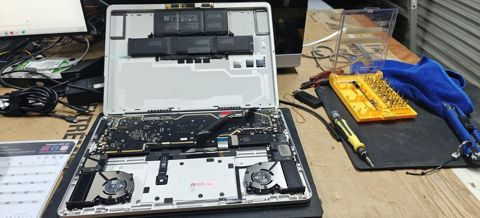
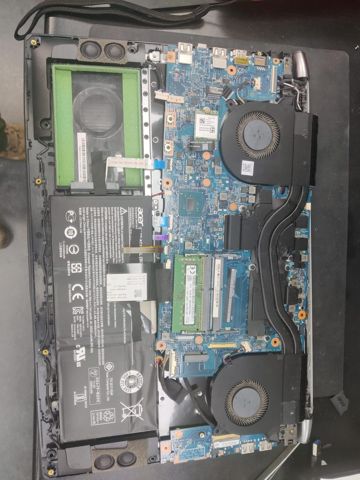
We open the lid and the base and look at what is actually broken: the hinge mechanism, the mounting posts, the lid frame, or a combination. We check the display cable for wear at the same time, since it is right there and it is the part that tends to fail next.
Where the posts have cracked, they can often be rebuilt with metal inserts and adhesive so the screws have something solid to bite into again, which avoids replacing the whole case. Where the hinge itself is bent or seized, it is replaced, and the frame is checked for twist.
After it goes back together we open and close the lid through its full range repeatedly, check the screen for flicker at every angle, confirm the wireless still holds a connection with the lid moving, and make sure the laptop closes flat.
Parts, price and when to stop
Labour is the fixed $274, which includes the $88 diagnosis, and any parts are quoted and approved before we order them. Most repairs are done within 72 hours, although case parts for older models can be slow to source, and we say so when we quote.
New parts carry a 12-month warranty and workmanship is covered for 90 days. Collection and return is $50 if you would rather not transport a laptop whose lid is coming apart.
Not every hinge job is worth doing. On an older laptop where the lid frame has twisted and the panel and case both need replacing, the total can approach what the machine is worth. We give you that figure after the assessment, and you can stop at the $88.
Typical jobs
A typical job: a laptop whose bezel lifts a little further every time the lid opens. The mounting posts have cracked, so we rebuild them with metal inserts, check the display cable for wear while the lid is apart, and cycle the lid through its full range before returning it.
A typical example: a laptop dropped on a corner with the lid open, leaving one hinge seized. We replace the hinge, check the lid frame for twist, and confirm the screen shows no flicker at any angle and the laptop closes flat.
Another typical job: a lid that will not stay up on an otherwise healthy machine. We assess whether the hinge can be adjusted or needs replacing, quote the part if it does, and check the aerial cables running past the hinge at the same time.
Questions
Can a broken laptop hinge be repaired, or does the whole case need replacing?
Is it safe to keep using a laptop with a loose hinge?
My laptop lid will not stay up. Is that a hinge?
The plastic around my screen is lifting. What causes that?
How long does a hinge repair take?
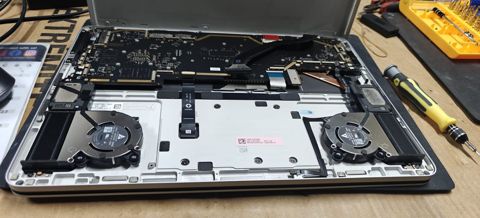
Laptop hinge repair: work in the workshop
Serving Mount Druitt and 12km around
Ready to get it fixed?
Book online in two minutes or call us. $274 fixed labour, diagnosis included.