
Data recovery
Dead laptop, clicking hard drive, deleted folder or a computer that won't boot: if your photos and documents are on it, we'll do our best to get them back.
What we fix
- Files from laptops and PCs that won't start
- Failing and clicking hard drives
- Accidentally deleted files
- USB drives and external drives
- Moving everything to a new computer
Price
| Data recovery Recovery from drives we can read in the workshop, copied to your drive | $274 labour Clean-room lab work quoted separately |
Includes the $88 diagnosis. Pickup and delivery included. All prices
Stop before you make it worse
If a hard drive is clicking, beeping or grinding, switch it off and leave it off. Every restart can damage the surface further, and repeated attempts at repair tools or disk checks can turn a recoverable drive into one that isn't.
If you've deleted something by mistake, stop using the computer. Deleted files stay on the drive until their space is reused, so saving, downloading or installing a recovery program onto the same drive can overwrite exactly what you're trying to get back.
Don't open a hard drive yourself or put it in the freezer, which are both common suggestions online. Opening a drive outside a clean room lets dust onto the platters, and condensation from the freezer can do more harm than the original fault.
What we can usually recover from
A frequent case is a laptop or PC that won't start while its drive is still healthy, where the files are simply stuck. Drives with bad sectors, corrupted partitions, formatted drives, USB sticks, SD cards and external drives are also regular jobs.
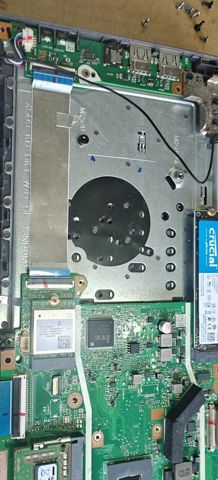
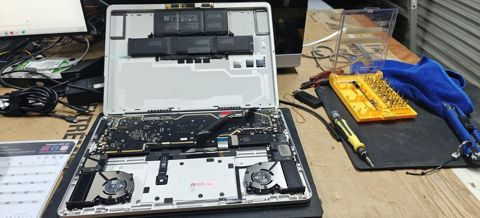
Two things make recovery harder. On MacBooks and many thin laptops the SSD is soldered to the board, so the board has to run to reach the data. And encrypted drives, using FileVault, BitLocker or Windows device encryption, need the password or recovery key, so find those before you book.
How the recovery works
We assess the drive first. If it's failing, we make a sector-by-sector copy onto a healthy drive, reading the good areas before the weak ones, and do all the recovery work from that copy rather than the original. That avoids wearing out a failing drive while we search it.
Recovered files are checked to make sure they open, then copied to a new drive or your replacement computer. Recovery done in our workshop comes under the fixed $274 labour, which includes the $88 diagnosis. Drives that need a clean-room lab are quoted separately before anything is sent.
How we handle your data
We only open files to check that they came back intact, and we don't keep copies. Once you've confirmed you have everything, our working copy is securely deleted.
Tell us which folders matter most, such as photos, business records or a particular user account, and we'll check those first. For business machines, let us know if there are records with privacy obligations attached, so they are handled accordingly.
The device comes back to you with your files, and nothing we recovered stays with us once the job is closed. If you're getting rid of the old drive, we can wipe it securely so the data can't be read again.
Typical jobs
A typical job: an external hard drive holding family photos that has started clicking. We make a sector-by-sector copy onto a healthy drive, reading the good areas first, recover the photos from that copy, check they open and return them on a new drive. The original drive is worked no harder than it has to be.
A typical example: a laptop that won't start, with years of documents on it. The drive itself tests healthy, so we copy the files onto a new drive or the replacement computer, check the most important folders first, and set up a backup so the files live in more than one place.
Another typical job: a camera SD card that shows as empty or asks to be formatted. We image the card first, recover the photos and videos from that image and check they open. Most jobs like this are done within 72 hours, while drives that need a clean-room lab take longer and are quoted separately.
Making sure it doesn't happen again
The simplest protection is keeping your important files in more than one place. A cloud service such as OneDrive, iCloud or Google Drive, plus an external drive with Time Machine on a Mac or File History on Windows, covers most failures.
We can set that up when we return your files, so the next dead drive is an inconvenience rather than a loss.
Questions
Will you look at my files?
What if the drive is physically dead?
Can you recover files from a laptop that won't turn on?
Can deleted files be recovered from an SSD?
What should I bring for data recovery?
How long does data recovery take?
Data recovery: work in the workshop
Serving Mount Druitt and 12km around
Ready to get it fixed?
Book online in two minutes or call us. $274 fixed labour, diagnosis included.