
Computer won't turn on
A computer that shows no sign of life can be anything from a dead power lead to a failed main board, and the only way to know is to work through it in order. The diagnosis is $88, and it is included in the $274 labour if you go ahead with the repair.
What we fix
- Laptops with no lights and no response at all
- Fans and lights on, nothing on the screen
- Machines that start, then shut off seconds later
- Chargers, power leads and power supplies
- Desktops that have lost their start-up settings
- No-power faults after a storm or power surge
Three different problems, one description
People say a computer will not turn on to describe three quite different faults, and separating them is the first thing we do. Nothing at all, with no lights, no fan noise and no charging light, points at power getting into the machine.
Lights and fans but a black screen means the machine has power and is failing somewhere in start-up, or the display path has failed. A computer that starts and then cuts out after a few seconds is different again, and usually means something is shutting it down to protect itself.
A fourth version is a machine that reaches a logo or an error message and stops there. That is a start-up problem rather than a power problem, and it is usually a drive, a failed update or a corrupted boot record rather than anything electrical.
What to check before you call
Try a different power point and, if you can, a charger or power lead you know works. Look for a charging light at the socket. On a desktop, check the switch on the back of the power supply and that the lead is seated at both ends.
Unplug everything else: docks, USB drives, external monitors, printers and card readers. A failed accessory can hold a machine down. On a laptop, disconnect the charger, hold the power button in for about 30 seconds, then reconnect the charger and try again.
If you can smell burning, see scorch marks or heard a pop, leave it switched off at the wall and tell us when you book. If a drink went near it, do not keep trying the power button, because every attempt on a wet board risks more damage than the spill itself.
Where the fault usually sits
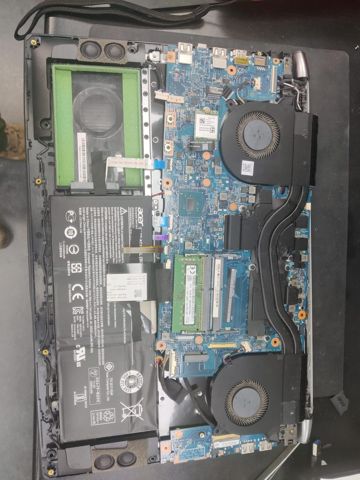
On laptops the common causes are a failed charger, a worn or cracked charging port, a battery that has failed in a way that blocks start-up, memory that has worked loose, and faults in the power circuitry on the board itself.
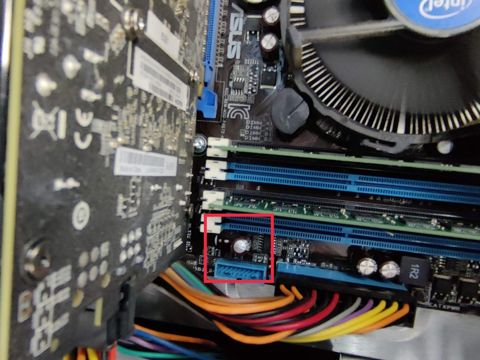
On desktops the power supply is the usual suspect, followed by memory, a flat CMOS battery that has lost the start-up settings, a failed front-panel power button, and graphics cards that are not seated properly. Storms and surges tend to take out the power supply first.
Black screens with the machine clearly running are often a display cable, a backlight or a panel on laptops, and a monitor input, cable or graphics card on desktops. A picture on an external monitor tells us the computer is fine and the fault is in front of it.
How we work through it
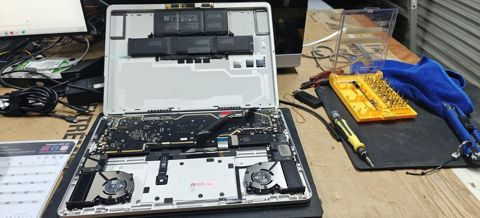
We eliminate rather than guess, and we start outside the machine: a tested charger or power supply, a known-good power lead, a confirmed wall outlet. Then we work inwards, testing power reaching the board, removing memory and add-in cards, and trying a minimum configuration that only has what it needs to start.
If power is reaching the board and nothing happens, we measure the board's power rails and look for a short or a component that has failed. That tells us whether this is a small repair, a replacement board, or a machine not worth going further with.
Once it is running, we do not hand it straight back. It gets restarted repeatedly from cold and from warm, run under load, and left on long enough that an intermittent fault has a chance to reappear with us rather than at your place.
Cost, timing and your files
The diagnosis is $88. If you go ahead, labour is the fixed $274 and the $88 is part of it, with parts quoted and approved separately. If the answer is that the machine is not worth repairing, you pay the $88 and nothing further.
Most repairs are done within 72 hours. Power supplies and boards that have to be ordered can add time, and we say so when we quote. New parts carry a 12-month warranty and workmanship is covered for 90 days.
If there are files on the machine you cannot lose, say so when you book. In most desktops and many laptops the drive can be read in another machine even when the computer itself is dead, so we can get your data out first and then decide about the repair.
Typical jobs
A typical job: a laptop with no lights on a charger the owner assumed was fine. We test the charger, find it delivering nothing, confirm the laptop starts on a known-good unit, then check the charging port and battery health before recommending anything so the real fault is not missed.
A typical example: a desktop that ran during a storm and has been dead since. We test the power supply on the bench, replace it once quoted and approved, then check the board and drive for surge damage and run it under load before it goes back.
Another typical job: a PC with fans spinning and a black screen. We strip it to a minimum configuration, find a memory module that has failed, replace it, and confirm the machine starts cold and warm repeatedly before returning it.
Questions
Why won't my laptop turn on even though it is plugged in?
My PC has fans and lights but no picture. What does that mean?
Can a power surge stop a computer turning on?
Can you get my files off if the computer cannot be fixed?
How long will it take to find out what is wrong?
Computer won't turn on: work in the workshop
Serving Mount Druitt and 12km around
Ready to get it fixed?
Book online in two minutes or call us. $274 fixed labour, diagnosis included.