
Custom Build PCs
A PC built around what you actually do and what you want to spend. You choose the budget, we choose parts that work well together, then build it, test it and set it up ready to use.
What's included
- Home and family PCs
- Home office and business workstations
- Content creation and video editing PCs
- Quiet and compact builds
- Windows, drivers and your programs installed
- Your files and email moved from the old machine
How a build works
Tell us the budget and what the machine is for. We come back with a parts list and a price: the parts plus our fixed $274 build labour, so you can see exactly what you're paying for rather than a model number that means nothing.
Once you approve it we order the parts, build and cable the machine, install Windows and your software, run it hard for a while to be sure it's stable, and deliver it set up and ready to use.
Why a build instead of a retail PC
Off-the-shelf machines hit a price by cutting the parts you can't see: the power supply, the cooling, the drive. A build spends the money where it changes how the machine feels, and every part can be replaced or upgraded later instead of thrown away.
Planning around what you do
The first conversation is about how you'll use the machine, not about parts. What programs you run, how many monitors you use, how much storage your files take up now, whether it sits in a quiet room or under a desk, and whether it connects by cable or Wi-Fi all change what we recommend.
We also ask what you might want later. If you expect to add a second drive, more memory or a graphics card in a year or two, we choose a case, board and power supply that leave room for it.
Where the budget goes
For home, office and business machines the processor, memory and a fast NVMe SSD make the most difference to how the computer feels day to day. Sixteen gigabytes of memory suits most home and office use, while photo and video work benefits from more. A separate graphics card only earns its place if your software uses one.
The parts people skip matter just as much. A power supply from a reputable maker with some headroom, a case with decent airflow and a motherboard with the ports you'll use every day are what keep a PC reliable for years. We explain each choice in plain terms, so you know why it's on the list.
If you already own a good monitor, keyboard or drive, we plan around it rather than adding it to the list. Where a part is short in supply or a better alternative has just arrived, we'll let you know before ordering.
Testing before it leaves
Every build is updated to the latest stable firmware, then tested under load. We run a memory test, stress the processor and any graphics card while watching temperatures, check the drive's health, and confirm the memory is running at its rated speed without errors.
We also set sensible fan curves so the machine is quiet when idle and cools properly when busy, and check every front and rear port before it's handed over.
Set up ready to use
The machine arrives with Windows installed and activated, all updates and drivers done, and none of the trial software that comes on retail computers. We can install your programs, set up your email and printer, and move your files from the old computer.
We can also set up backups at the same time, so the new machine starts life protected.
Quiet, compact and business builds
Small cases look tidy on a desk but limit cooling and future upgrades, so we'll explain the trade-offs before you choose one. Quiet builds use larger, slower fans and a cooler sized well above the processor's needs.
For businesses we can build several matching machines, use Windows Pro for features like BitLocker encryption, and set them up to suit how your office works. Businesses wanting ongoing monthly support can talk to our managed IT division, Managed IT Helpdesk.
Builds for different kinds of work
A home office PC and a video editing workstation can look the same from the outside and have almost nothing in common inside. Office and study machines need a responsive processor, a quick SSD and enough ports for your monitors and docking gear, and can often use the graphics built into the processor.
Photo, video and 3D work leans harder on memory, storage and the graphics card. Editing software uses the graphics card to speed up playback and exports, so we check which features your program supports and choose a card that suits it. For CAD, we look at whether your software is certified for a workstation card or runs well on a consumer one.
Streaming and recording machines need extra processor headroom or a graphics card with a good hardware encoder, plus a second drive for recordings. Small form factor builds suit a tidy desk or a lounge room, but they need careful part choices so the machine stays cool and quiet in a tight space.
If the PC will run all day in a shared office or a bedroom, we treat noise and power use as part of the brief, not an afterthought. An efficient processor and a well-chosen power supply make a difference to both.
Compatibility checks before anything is ordered
Before we order a single part, the whole list is checked against itself. The processor has to match the motherboard socket, such as AMD's AM5 or Intel's LGA1851, and the board may need a firmware update to support a newer chip. The memory has to be DDR5 on these platforms, and the kit should appear on the board maker's supported list.
We check physical fit as well: graphics card length and thickness, cooler height, radiator mounting points and where the cables will go. We confirm the power supply has the right connectors for the graphics card, and that a fast PCIe 5.0 SSD has a heatsink, since these drives run warm.
Windows 11 needs TPM 2.0 and Secure Boot, which modern boards support but don't always enable out of the box. We make sure both are switched on so Windows installs and updates properly.
Finally, we check the motherboard's rear ports against what you'll plug in: enough USB for your devices, the right display outputs for your monitors, and wired or Wi-Fi networking to suit where the PC will sit.
How we put it together
The processor, memory and SSD go onto the motherboard first, and the cooler is fitted with fresh thermal paste and even mounting pressure. The board then goes into the case with the power supply, and the graphics card goes in last with its power cable seated fully and supported so it doesn't sag.
Cables are routed behind the motherboard tray and tied down so they stay clear of fans and are easy to trace later. Fan direction is set to move air through the case in one clear path.
On first power-up we update the firmware, enable the memory's EXPO or XMP profile, and check the processor, memory and drives are all detected correctly. On AM5 boards the first boot can sit on a black screen for a few minutes while the memory trains, which is normal and not a fault.
Windows is installed fresh with current chipset, graphics and network drivers taken from the manufacturers' own sites. No trial antivirus, no pre-installed games, no toolbars.
Burn-in: running it hard before handover
A machine that boots is not the same as a machine that is stable. We run long memory tests at the rated profile, a sustained processor stress test and a graphics load test, watching temperatures, clock speeds and system logs for errors.
We check drive health and confirm the SSD is running at the speed its slot supports. We listen to the machine at idle and under load, adjust the fan curves until the noise is reasonable, and then run Windows Update until nothing is left to install.
If anything throws an error, we find the cause before the PC goes anywhere. That might mean backing the memory off to a slightly slower setting, swapping a part under warranty or reseating a cable, and then running the full set of tests again from the start.
Handover and aftercare
When the PC comes back to you, we go through what's in it and how it's set up. You get the part boxes, manuals and any spare cables, so you have everything needed for warranty claims or future upgrades.
Every new system we build comes with a 12-month warranty, and new parts carry a 12-month warranty too. If something fails within warranty we work out which part is at fault and look after the claim.
Later on, the same machine can take more memory, another drive or a new graphics card. Since we built it, we already know what it will take and what it needs to support the upgrade.
If the PC starts playing up outside the warranty period, it's handled like any other computer repair, with a diagnosis first and a clear price before any work is done.
Typical builds
A typical job: a home office PC for someone working from home with two monitors. A mid-range processor with its built-in graphics, 32GB of DDR5, a 1TB NVMe SSD and a quiet case, with their files, email and printer moved across from the old machine.
A typical job: a video editing workstation for a freelancer cutting 4K footage. A processor with plenty of cores, 64GB of memory, a fast system SSD plus a separate drive for projects, and a graphics card chosen for the hardware acceleration in their editing software.
A typical job: a small, quiet PC for a lounge room or study nook. A compact case, an efficient processor with a cooler sized well above its needs, and slow-spinning fans, set up so it's barely audible when you're browsing or watching video.
In each case the parts list is written to the customer's budget and priorities, so these are starting points rather than fixed packages.
Questions
Can I supply my own parts?
Do I get a warranty?
Is it cheaper to build a PC than to buy one?
Can you reuse parts from my old PC?
Can a custom PC be upgraded later?
How long does a custom build take?
How is a custom build priced?
Do I need a Windows licence?
Will you move everything from my old computer?
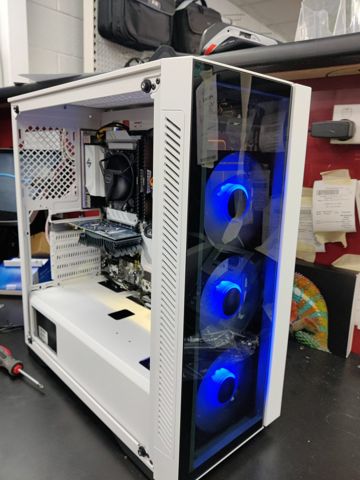
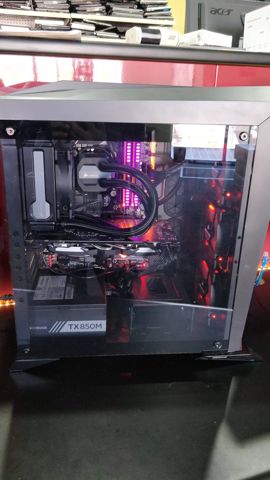
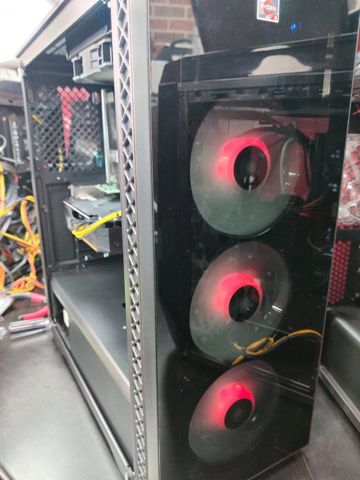
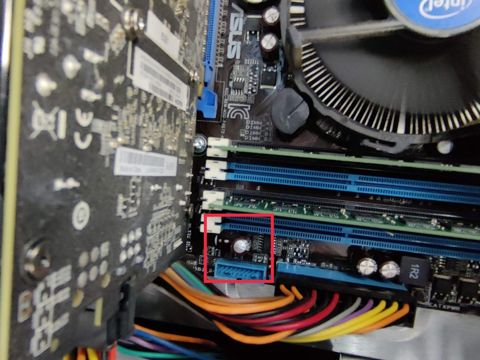
Custom Build PCs: work in the workshop
Serving Mount Druitt and 12km around
Ready to get it fixed?
Book online in two minutes or call us. $274 fixed labour, diagnosis included.