
NBN installation help for your home
We are not an NBN provider and we do not sell internet plans. What we do is the part either side of the plan: getting the equipment working, getting the signal to the rooms you use, and telling you what to report when the fault is on the line rather than in the house.
What we fix
- Setting up a new modem after a connection or a provider change
- Getting devices back on the network after a changeover
- Internal wiring from the NBN box to where you need it
- New builds and new estate connections
- A slow or unstable line checked before you ring your provider
- Moving house without losing a week of internet
What actually happens when a connection goes in
You order a plan from a provider, and the provider orders the connection. Depending on what is already at the address, that either means a technician attends, or the service is activated remotely and you plug in the equipment yourself on a given day.
Where a technician attends, they install or check the network termination device, the box that marks the end of the network and the start of your house. Your modem plugs into that box, and everything past it is yours.
The dividing line matters when something goes wrong. Faults on the network side belong to your provider, who raises them with the network. Everything from the box inwards, including the modem, the internal cabling and the Wi-Fi, is where we can help.
Connection types, in plain terms
Fibre to the premises brings fibre the whole way into the house, and is the type least affected by anything in the street. Fibre to the curb brings fibre to a pit outside and uses the existing lead-in for the last stretch, with a small powered unit indoors.
Fibre to the node runs fibre to a cabinet in the street and copper from there, so the distance and the state of that copper decide what speed is possible. Cable connections reuse the old pay TV network, and fixed wireless uses a roof aerial pointed at a tower.
You do not choose your type, the address does. It is worth knowing which one you have, because it explains what can be improved and what cannot. Some addresses can be upgraded on request through a provider, and that request goes through them rather than through us.
Where the box ends up, and why your Wi-Fi depends on it
The equipment usually goes wherever the lead-in arrives: a garage wall, the laundry, or the corner of a front room near the old phone socket. That spot suits the cabling, and it is often the worst possible place to start a wireless signal from.
You do not have to leave the modem where the box landed. A cable from the box to a central spot lets the Wi-Fi start in the middle of the house, which is usually the single biggest improvement available. Where that is not practical, a cabled access point in a better room does much the same job.
New builds and new estates
In a new estate, the developer normally puts in the pit and the conduit to the boundary, and the builder is responsible for the conduit and draw string from the boundary to the house, plus a mounting position and a power point for the equipment. Connections are ordered through a provider once the address exists in the network.
The gaps we see are almost always the builder's part: no conduit run, a conduit with no draw string, a mounting spot with no power near it, or a house with one data point in the wrong room. All of these are easy before the walls close and slow afterwards.
Before handover, check that the conduit is in, that there is a spot and a power point for the equipment, and that at least one data point lands in the room where the desk will go. New estates also take time to be released for connection, so order early.
When the line itself is the problem
On a fibre to the node connection, the modem syncs at whatever the copper allows, which can be well below what you are paying for. Speeds that sit at the same low number all day, or a connection that drops and re-syncs at the same time each evening, both point at the line rather than the house.
Old internal phone wiring makes it worse. Extension sockets through the house, a line running to a wall plate that is not used any more, and a filter or splitter left over from an older service all hang off the same pair and can pull the speed down. Testing at the first socket with everything else disconnected shows whether that is happening.
What we do is gather the evidence: sync figures, how they move over the day, and whether the fault survives with the house wiring reduced to one point. You take that to your provider, who is the only one who can raise it with the network, and it is a much shorter conversation with numbers attached.
Moving house, and booking us
Book the connection at the new address as early as you can, because the appointment queue, not the equipment, is what leaves people offline for a fortnight. Do not cancel the old service until the new one is running if the dates allow.
Expect the network name and password to change. Every device without a screen has to be rejoined by hand: printer, TV, speakers, cameras, doorbell and anything else on the list. Write the new details down somewhere the whole house can find them.
Also check the modem before you assume it moves with you. A modem supplied for one connection type may not work on another, and a router that was fine in a small unit may not cover a house.
Modem configuration, device rejoining and settings work can often be done over remote support at $179 per hour with a one-hour minimum, as long as something in the house still has a connection. Onsite work, internal wiring and coverage are quoted per job. We cover about 12km around Mount Druitt, Monday to Friday 8am to 7pm and Saturday 9am to 7pm, on 02 9833 1800.
Typical jobs
A typical job: a house where nothing works on the day the service goes live. The equipment is in and powered, but the modem is in the wrong port and still holds the old provider settings, so we reconfigure it, test on a cable, and rejoin the devices around the house.
A typical job: a family moving into an older home on a node connection where the speed sits well under the plan. We disconnect the unused extension sockets, test at the first socket, and hand over sync readings the provider can act on.
A typical job: a new build where the equipment has ended up in the garage and the study at the far end has no signal. We run a cable from the box to the study, move the router to a central position, and cover the back of the house properly.
Questions
Can you connect the NBN for me?
Which provider should I go with?
The NBN box is in the garage and the Wi-Fi is terrible. What are my options?
My speed is nowhere near my plan. Who is at fault?
We are building. When should we think about this?
NBN installation help: work in the workshop
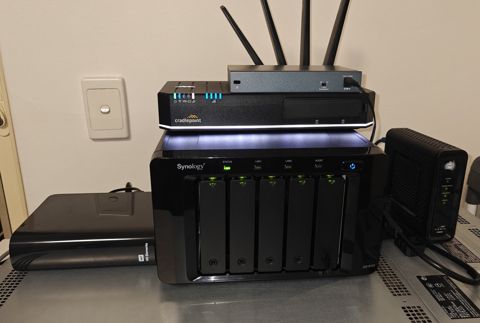
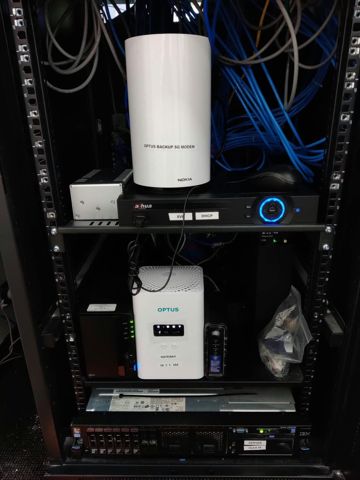
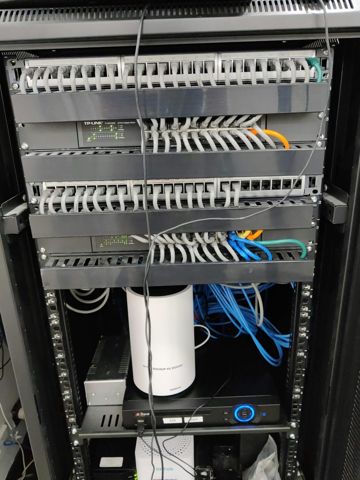
Serving Mount Druitt and 12km around
Ready to get it fixed?
Book online in two minutes or call us. $274 fixed labour, diagnosis included.