
Data cabling for your home
A cable is still the most reliable connection in a house, and every device you take off the Wi-Fi leaves more room for the ones that have no choice. We plan the points, organise the runs the building allows, and tell you plainly which parts need a registered cabler or an electrician.
What we fix
- Cat6 and Cat6a points to the study, TV wall and bedrooms
- Wall plates instead of leads running under doors
- A tidy spot for the modem, switch and patch panel
- Cabled points for desktops, consoles and smart TVs
- Power over Ethernet runs for cameras and access points
- Every run tested and labelled at both ends
Why a cable still beats Wi-Fi at home
Wi-Fi is shared. Every device on it takes turns with every other device, and with the neighbours, so what you get varies through the day. A cable gives one device its own path, at the same speed, all the time.
The devices that benefit most are the ones that sit still. A desktop in the study, a smart TV on the wall, a console, a security recorder and a network drive are all permanently in one spot, and none of them gain anything from being wireless.
Latency is the other half of it. Online gaming and video calls suffer from jitter more than from raw speed, and a cabled connection is steady in a way wireless cannot promise, particularly in the evenings when the whole street is busy.
Cat6, Cat6a and where the points go
For a house, Cat6 handles everything a home network is likely to carry for a long time, and Cat6a adds headroom for longer runs and faster equipment later. The difference in cable cost is small next to the labour of getting it through the building.
Cable in the walls is solid core and is terminated onto a wall plate, not crimped onto a plug and left dangling. The lead from the plate to the device is stranded patch cable, the flexible sort, and mixing the two up is a common cause of a point that works for a year and then does not.
Two points per position is the usual advice, because the second one costs very little at the time and saves pulling the wall apart for a switch later. Typical positions are the study desk, the TV wall, a main bedroom, the garage and wherever the modem is going to live.
Getting cable through an Australian house
A single storey house with a tiled roof and an accessible ceiling space is the easy case: cable goes up an internal wall, across the ceiling and down to the point. A slab house with no roof access, or a two storey run between floors, is a different conversation.
Foil sarking, ducted air conditioning, insulation batts, fire collars and the brick cavity all affect where a cable can practically go. Sometimes the answer is a neat run in conduit along an external wall, which is not glamorous but is reliable and does not involve cutting into the house.
We look at the building first and tell you what is realistic. If two of the four points you want are easy and two would mean significant patching, you should hear that before the work starts, not while the ceiling is open.
Where the cables come back to
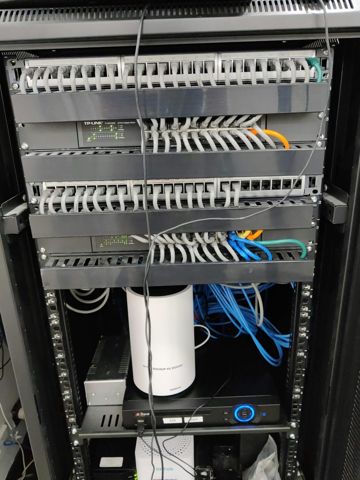
All the runs terminate in one spot, ideally on a small patch panel so the fixed cabling is never handled again. Short leads connect the panel to a switch, with the modem alongside. A shallow wall-mounted cabinet in the garage or a laundry cupboard is the usual home for it.
It needs a power point, a bit of air around it and a spot that is not the hottest cupboard in the building. A sealed cabinet in a west-facing garage will shorten the life of everything inside it.
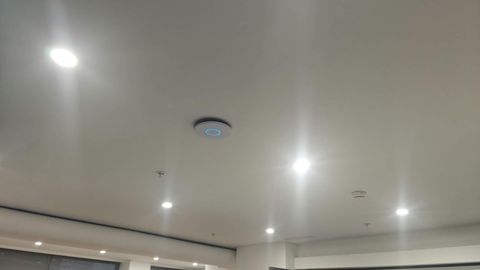
Think about where the Wi-Fi will start from at the same time. If the cabinet ends up in the garage, one of the runs should go to a central ceiling or wall position so an access point can live in the middle of the house rather than in the corner.
Power over Ethernet for cameras and access points
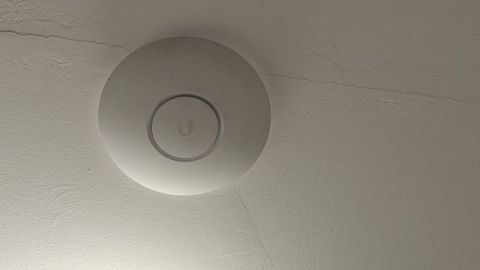
Power over Ethernet sends power and data down the same cable, which is what makes cameras under an eave and access points on a ceiling practical. There is no power point up there, and adding one is an electrician's job with a hole in the ceiling attached.
For one or two devices an injector at the cabinet end is enough. Once there are several cameras and a couple of access points, a switch that supplies power on every port is tidier and easier to reset when something locks up.
Camera runs are best planned with the recorder in mind, so the cables come back to the same cabinet as everything else. Higher-draw cameras and outdoor units need more power than the basic standard supplies, which is a decision to make before the cable goes in rather than after.
Testing, and who is allowed to do the work
Every run is tested after it is terminated: each pair on the right pin at both ends, the length within limits, and the point passing traffic at the speed it should. Runs are labelled at the plate and at the cabinet, so nobody has to trace six identical cables later.
In Australia, fixed cabling connected to the telecommunications network has to be done by a registered cabler under the ACMA rules, and mains power work is an electrician's. We tell you which parts of a job fall to those trades and arrange them rather than pretending every trade is ours.
What we do is the design and the network side: how many points and where, what has to be cabled and what is fine on Wi-Fi, the cabinet layout, the switch, and testing that the whole thing works end to end.
Cabling work is quoted per job once we have seen the house, because the construction decides the labour. Ring 02 9833 1800 and tell us the rooms you want done and roughly when the place was built. We cover about 12km around Mount Druitt, Monday to Friday 8am to 7pm and Saturday 9am to 7pm.
Typical jobs
A typical job: a study at the back of a single storey house where the desktop struggles on wireless. One Cat6 point is run from the cabinet to a wall plate at the desk and tested, and the desktop and printer both come off the Wi-Fi.
A typical job: a family adding points before new flooring goes down. We plan the TV wall, two bedrooms and the study while the access is easy, and the runs come back to a small patch panel in the garage, each one labelled and tested.
A typical job: a house getting cameras fitted under the eaves. We plan the runs back to one cabinet, use power over Ethernet so no extra power points are needed at the eaves, and bring in a registered cabler for the parts of the work that require one.
Questions
Do I need cabling if I already have mesh Wi-Fi?
Cat6 or Cat6a, which should I run?
Can you cable an existing house, or only during a build?
Are you allowed to do the cabling yourself?
Is it worth cabling to the TV and the console?
Data cabling: work in the workshop
Serving Mount Druitt and 12km around
Ready to get it fixed?
Book online in two minutes or call us. $274 fixed labour, diagnosis included.