
Managed IT plans for small business
Managed IT is the arrangement where your computers are looked after every month rather than repaired after they break. COMPwize delivers it through our MSP division, Managed IT Helpdesk.
What we do
- A monthly agreement instead of unpredictable invoices
- Monitoring and patching across PCs, laptops and servers
- A helpdesk your staff can ring when work stops
- Microsoft 365 accounts, licences and new starters
- Backups checked by a person, not just installed
- Security basics kept in place and reviewed
What managed IT actually covers
A managed plan bundles the ongoing work that keeps an office running into one monthly agreement: monitoring, updates, antivirus, backup checks, Microsoft 365 administration, and a helpdesk your staff can ring when something stops working. You pay a known amount whether or not anything breaks.
The quiet half of that list matters more than the helpdesk half. Patches applied on a schedule, backup reports read by a person, drives replaced before they fail and old accounts closed the week someone leaves are what stop the emergencies happening at all.
Hardware and licences are normally quoted separately, because they are things you own rather than a service you rent. A plan covers the labour and the management. A replacement laptop or an extra 365 licence is still a purchase, and we tell you what it costs before you commit.
Who it suits, and who is better off without one
Managed IT earns its keep when there are enough machines that something is always due for attention, when staff come and go, and when an hour of nobody being able to work costs real money. The more computers, mailboxes and sites you have, the sooner it pays for itself.
It also suits businesses with an insurance question, a head-office requirement or a client contract that asks about security. Someone has to keep evidence that patching, backups and multi-factor sign-in are actually in place rather than assumed, and that is ongoing work.
If you run three computers, have no server and nobody has left in two years, you are probably better off calling us when something breaks. We will say so rather than put you on a plan you do not need.
How it differs from break-fix
Break-fix is what most small businesses already do. Something stops working, you ring someone, you get a bill. It is simple, you only pay when you need help, and for a small setup it is often the right answer.
Its weakness is that nobody is watching between the phone calls. A failing drive, a backup that quietly stopped months ago or a server filling its disk stays invisible until it takes the office down, which is the most expensive moment to discover it.
A managed plan turns that around. The provider is paid to keep things working, so the incentive is to prevent the call rather than bill for it, and your IT cost becomes a level monthly figure instead of a run of surprise invoices.
The trade-off is a commitment on both sides, which is why the scope is written down. A plan that says what is covered, what is quoted separately and how quickly we respond is fairer to a small business than a vague promise of looking after everything.
What it costs in general terms
Managed IT is quoted per site or per user rather than from a price list. What it comes to depends on how many machines and mailboxes there are, whether you run a server, what hours you want covered and how much of the groundwork is already done.
Nobody can price it sight unseen, and a number quoted before anyone has looked at your setup is a guess. The starting point is a walk through what you run, so the agreement matches the business rather than an average one.
Outside a plan our ordinary business rates apply. Remote support is $179 per hour, onsite and project work is quoted per job or per visit, and a workshop computer repair is a fixed $274 in labour, which includes the $88 diagnosis.
Managed IT Helpdesk, our MSP division
The monthly managed work is delivered by Managed IT Helpdesk, the MSP division of COMPwize. The plans, what is included in each and how support is handled are set out at managedithelpdesk.com.au, which is the right place to start if a monthly agreement is what you are after.
The two sides are separate on purpose. Managed work and repair work run on different tools, different agreements and different response commitments, and keeping them apart means a managed client's monitoring and helpdesk are not competing with bench repairs for attention.
You are still dealing with the same local operation either way. Plenty of businesses use both: a plan for the office, and the repair side for a machine that needs bench work or for a staff member's own laptop.
Moving onto a plan
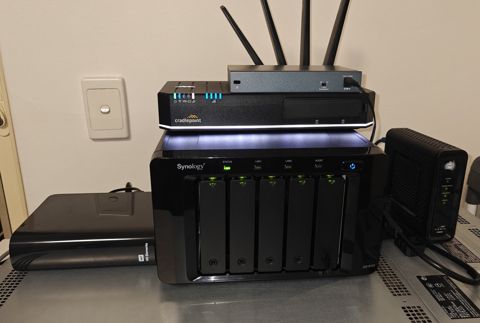
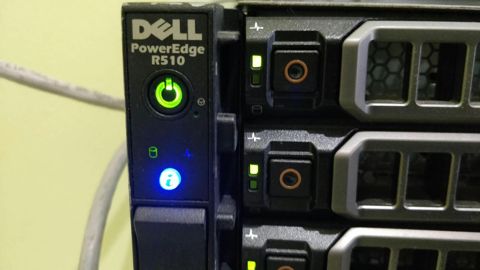
The first step is a look over what you have. Computers and their ages, any server or NAS, network gear, whether you are on Microsoft 365 or Google, how backups run, who holds admin rights, and what breaks most often.
That produces a plain list in two parts: what needs fixing before a plan makes sense, and what the plan covers once it starts. A fair amount of the first list is usually housekeeping that gets done in the first month.
Changing provider does not have to be dramatic. Documentation, passwords and licence ownership move first, so the business owns its own accounts and domain in its own name, then monitoring goes on, then the handover is finished. If the outgoing provider is unhelpful, that is common enough that we plan for it.
Typical jobs
A typical job: an office of eight with no IT arrangement at all, where the same three machines keep dropping off the network and nobody knows if the backup runs. We audit what is there, fix the network and the backup first, then move the business onto a monthly plan so the same faults stop coming back.
A typical job: a business whose previous IT provider has stopped answering the phone and holds the domain and the Microsoft 365 admin account. We get ownership transferred into the business's own name, document what is there, and take over the monitoring and patching from that point.
A typical job: a growing trade business adding two staff a year, where every new starter takes a day of somebody's time. We standardise the laptop build, the 365 licence and the access list, so a new starter is ready on their first morning and a leaver is offboarded properly the same day.
Questions
Do we have to sign a long contract?
What is the difference between COMPwize and Managed IT Helpdesk?
Can you work alongside the IT person we already have?
Does a plan include new computers and Microsoft 365 licences?
What happens outside business hours?
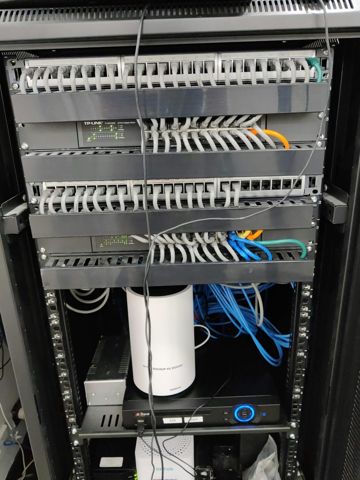
Managed IT plans: work we have done
Serving Mount Druitt and 12km around
Ready to get it sorted?
Call for a chat about what you need. Onsite and business work is quoted per job or per visit.