
Laptop screen replacement
Cracked, black, flickering or lined screens are the most common job we see. We source the right panel for your exact model, fit it, and test it before it comes back to you.
What we fix
- Cracked or shattered screens
- Black screen with the laptop still running
- Lines, flicker or dead pixels
- Broken hinges and screen bezels
- Touchscreen digitisers
Price
| Laptop screen replacement Sourcing the right panel, fitting it and testing it | $274 labour Screen panel extra |
Includes the $88 diagnosis. Pickup and delivery included. All prices
Signs your screen needs replacing
The obvious one is a crack, but plenty of screen faults show up with no visible damage at all. Coloured vertical lines, dark ink-like blotches spreading out from a pressure point, flicker that changes as you move the lid, or a picture so dim you can only just make it out with a torch are all common.
A black screen doesn't always mean a dead panel. If the fan is running, the keyboard lights up, or you get a picture on a TV or external monitor, the laptop itself is working and the fault is in the panel, the display cable or the backlight.
What usually causes it
Most cracked screens come from pressure rather than drops. Closing the lid on a pen, earbuds or a USB stick, or carrying the laptop in a tight bag with the charger pressed against the lid, puts the load straight onto the glass.
Lines and flicker that come and go often point to the display cable, which runs through the hinge and wears where it bends. Stiff or broken hinges make it worse, because they twist the lid every time it opens and can crack the bezel or pull the screen mounts out of the case.
How the repair works
We start by plugging in an external display and checking the cable, backlight and hinges, so we know whether the panel is the problem or something behind it. Then we identify the panel by its part number rather than the laptop model, because one model can ship with different resolutions, connectors, refresh rates and touch or non-touch versions.
You get a parts quote before anything is ordered, and labour is the fixed $274, which includes the $88 diagnosis. When the panel arrives we fit it, check the cable and hinges while the lid is apart, then test for dead pixels, even backlighting, brightness control, touch response where fitted, and any flicker as the lid moves through its full range.
MacBooks and many newer thin laptops use a complete display assembly, where the glass, panel and lid come as one part. OLED and high refresh rate panels are also more specialised. We'll tell you which type yours uses and what that means for the part before you decide.
Before you book it in
If the laptop still works on an external monitor, back up anything important first. Send the charger with it, and either leave your login password or be ready to log in when it comes back, so we can test the machine properly after the repair.
If the glass is shattered, close the lid gently and avoid pressing on it. Loose fragments can scratch the keyboard, and pressure on a cracked panel can damage the cable and connector behind it.
Typical jobs
A typical job: a student's laptop with a crack spreading from one corner after the lid was closed on a pen. We check the laptop works on an external display, match the panel by part number, fit it and test for dead pixels and even backlighting. Most repairs like this are done within 72 hours, with extra time only if the panel needs ordering.
A typical example: a laptop with coloured lines that come and go as the lid moves. Rather than replacing the panel straight away, we check the display cable where it runs through the hinge, replace the cable and tighten the hinge mounts, then test the screen through the full range of the lid.
Another typical job: a touchscreen 2-in-1 registering phantom touches after a knock to one corner. We identify the correct touch panel assembly by part number, quote it before ordering, fit it, and test touch response across the whole screen as well as brightness and flicker.
When a new screen isn't worth it
On an older budget laptop, a screen can be a big share of what the machine is worth, especially if the battery is tired and it still runs on a hard drive. If that's the case we'll say so and talk through a replacement, including moving your files across.
If we also find liquid damage or a bent chassis during diagnosis, we'll point it out. A new panel won't fix either, and a warped lid can crack a new screen soon after it's fitted.
Questions
What will it cost?
Can you do MacBook screens?
Is it worth replacing a laptop screen?
Can I keep using a laptop with a cracked screen?
Why is my laptop screen black when the laptop is still on?
How long does a screen replacement take?
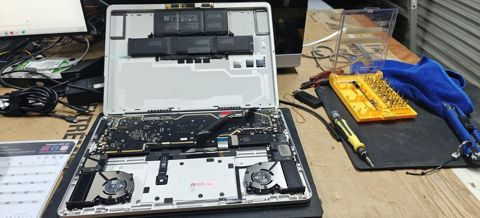
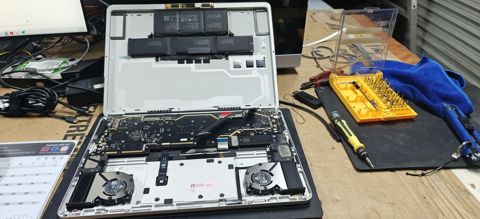
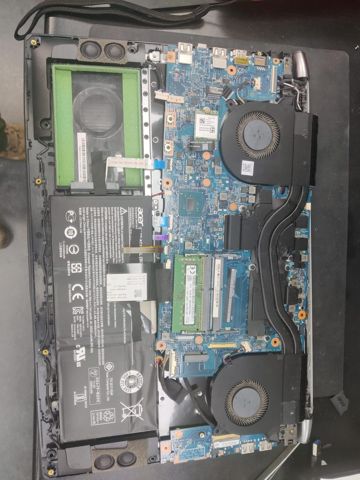
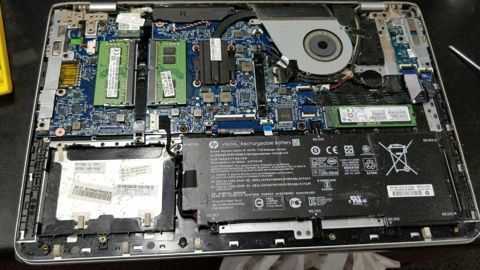
Laptop screen replacement: work in the workshop
Serving Mount Druitt and 12km around
Ready to get it fixed?
Book online in two minutes or call us. $274 fixed labour, diagnosis included.