
Gaming PCs & upgrades
New gaming rigs built to your budget and the games you play, or upgrades to the one you've got: graphics cards, cooling, power supplies, storage.
What we fix
- New gaming PC builds
- Graphics card upgrades
- Cooling and airflow fixes
- Power supply upgrades
- Fresh Windows install and driver set-up
Planning a gaming build
We start with the games you play and the monitor you play on. A 1080p screen at 144Hz for competitive shooters needs a different balance of parts from a 1440p or 4K screen for single-player games with the settings turned up.
We also ask whether you stream or record, how much storage your library takes, and how much noise you'll put up with. Those answers decide where the budget goes, which for most gaming builds means the graphics card first, with the processor, memory and cooling chosen to keep it fed.
If you already have parts worth keeping, such as a recent graphics card, a quality power supply or a large SSD, we plan the build around them so the budget goes into what actually needs replacing.
Choosing parts that suit each other
A fast graphics card on a weak power supply or in a cramped case is a common cause of crashes and heat problems. We check the power supply's quality and connectors, including the newer 16-pin connector on recent cards, and make sure the card, cooler and radiator physically fit the case.
The motherboard needs the right chipset and firmware for the processor, and the memory kit needs to run reliably at its rated profile on that board. Fast NVMe storage keeps load times short, and a case with clear airflow lets everything run cooler and quieter.
Upgrading the rig you already have
Often the PC you have only needs one or two parts. We look at what's holding it back, whether that's the graphics card, the processor, memory or an old drive, before recommending anything.
A new graphics card may also need a bigger or newer power supply, and an older board may limit the card's performance. We check both, remove old graphics drivers cleanly before installing new ones, and confirm settings like Resizable BAR are enabled where the platform supports it.
Testing and tuning before it's handed over
Every build and upgrade is stress-tested. We run the processor and graphics card under sustained load while watching temperatures, power draw and clock speeds, test the memory at its rated profile, and check the drives.
We then set fan curves so the PC is quiet on the desktop and keeps cool in games, route cables so they don't block airflow, and run a few demanding games to make sure everything holds up in real use.
Fixing stutter, crashes and heat
Gaming PCs that crash or stutter under load usually have an identifiable cause: a power supply that can't cope, an unstable memory profile, overheating from dust or a failing cooler pump, or a driver problem.
We test the hardware to find which one it is, rather than reinstalling Windows and hoping, and we tell you what we find and what it will take to fix.
Once it's fixed, we run the same stress tests we use on new builds, so you know it holds up under the load that caused the problem in the first place.
Building for your screen and your games
Resolution and refresh rate set the target. At 1080p with a high refresh rate, the processor does a lot of the work of pushing frames. At 1440p and 4K, the graphics card carries most of the load and needs more video memory, especially in newer games with high-resolution textures.
We balance the processor and graphics card so neither holds the other back in the games you play. Spending most of the budget on a top graphics card paired with a weak processor wastes money in esports titles, while the reverse leaves frames on the table in demanding single-player games.
A small thing that matters: the monitor cable goes into the graphics card, not the motherboard, and Windows needs to be set to the monitor's full refresh rate. We set both, and turn on adaptive sync where your monitor supports it.
Upscaling and frame generation features in current graphics cards can lift frame rates a long way, but they work better on some cards and in some games than others. We explain what your card supports and set it up in the games you play.
Power supplies and the 12V-2x6 connector
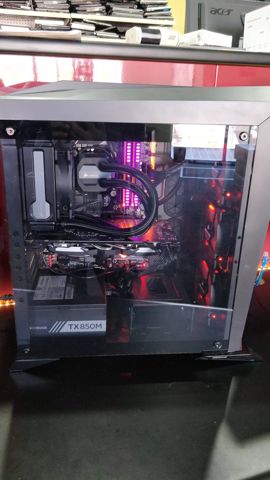
Modern graphics cards draw a lot of power in short bursts. An ATX 3.0 or 3.1 power supply is designed to handle those spikes, and a quality unit with sensible headroom runs cooler and quieter than one working near its limit.
Many recent cards use the 16-pin 12V-2x6 connector, a revision of the earlier 12VHPWR design. It must be pushed in until it's fully seated with no gap, and the cable shouldn't be bent sharply right at the plug. We use the power supply's own native cable where it has one, rather than adapters, and check the connection again after the machine has been moved.
If you're upgrading and your current supply is old, low quality or missing the right connectors, we'll tell you before the new card goes in.
We also check the processor's power cables and that the supply is plugged into a proper wall outlet rather than a cheap power board, which can cause trips and shutdowns under heavy load.
Cooling, airflow and lighting
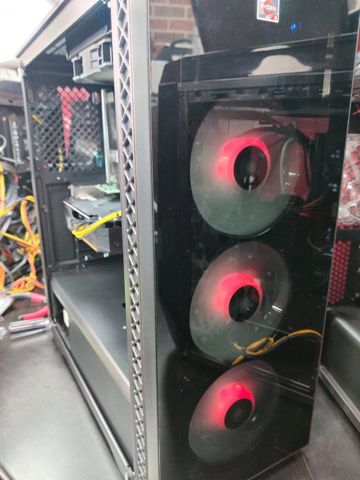
Long gaming sessions heat-soak a case, so airflow matters more than peak cooling numbers. A mesh front panel with intake fans at the front and exhaust at the rear and top keeps a steady flow over the graphics card, which is usually the hottest part.
Processor cooling can be a large air cooler or an all-in-one liquid cooler. Air coolers are simple and have no pump to wear out, while an AIO can suit hotter processors and cleaner-looking builds. We choose based on the processor, the case and how much noise you'll accept.
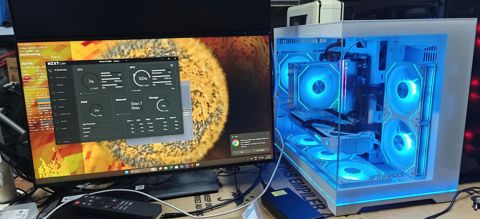
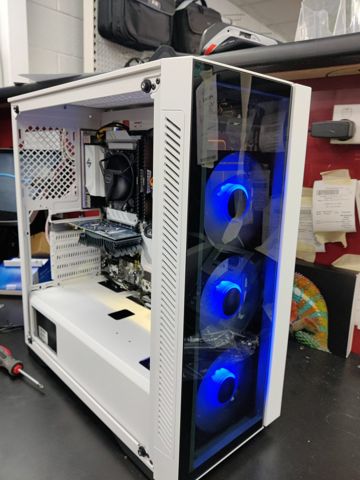
RGB lighting is fine, as long as it doesn't come at the cost of airflow. Glass-fronted cases often look great and run hot, so we'll point out the trade-off. We also try to keep lighting on one control app, so you're not running three programs just to change colours.
Streaming and recording
Streaming from the same PC you play on works well with a modern graphics card, since its hardware encoder handles the video with little effect on your frame rate. We set up OBS or your preferred software to use it, with settings that suit your internet upload speed.
Recordings fill drives quickly, so we usually add a second SSD just for captures. If you use a capture card for a console or a separate microphone interface, we make sure the board has the slots and USB ports to run them all at once.
Before handover we run a test stream or recording while a demanding game is running, and check for dropped frames, audio sync and whether the game's frame rate holds up.
Upgrades and upkeep
A good gaming build has an upgrade path. AM5 boards have had a long run of processor support, and a quality power supply and roomy case can carry over into the next graphics card. We plan the first build with the next upgrade in mind.
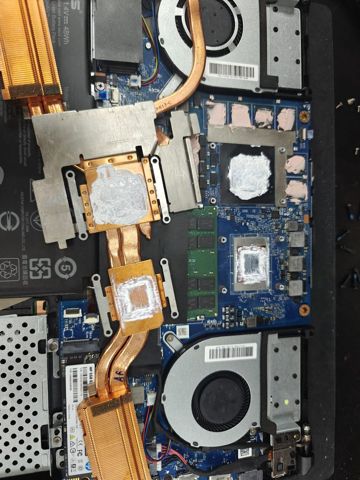
Dust is the main enemy of a gaming PC. Cleaning the filters every few months and giving the case a proper clean once a year keeps temperatures down. After several years, an air cooler may benefit from fresh thermal paste, and an older AIO pump can start to fail.
Keeping the graphics driver and motherboard firmware current fixes bugs and sometimes improves performance. We can do a check-up and clean if the machine is getting louder or hotter than it used to.
Before any build leaves us, we also run a set of in-game benchmarks alongside our stress tests. That gives a baseline for your PC, so if performance drops later we can compare against it and see what's changed.
Typical builds
A typical job: a 1080p high-refresh esports PC for a teenager playing competitive shooters. A fast gaming processor, a mid-range graphics card, 32GB of DDR5 and a 1TB NVMe SSD in a mesh case, tuned for high, consistent frame rates.
A typical job: a 1440p all-rounder for someone who plays a bit of everything. A graphics card with plenty of video memory, a 2TB SSD for a large game library, an ATX 3.1 power supply with a native 12V-2x6 cable, and a quiet air cooler.
A typical job: a 4K streaming rig with a white theme. A high-end graphics card with a strong hardware encoder, a 360mm AIO cooler, a second SSD for recordings, and lighting set up on a single app without closing up the airflow.
Every one of these would be priced as the parts plus our fixed $274 build labour, and adjusted to the games, monitor and budget involved.
Questions
Can you just upgrade my current PC?
Should I upgrade my graphics card or my processor?
What power supply do I need for a new graphics card?
Is a prebuilt gaming PC or a custom build better?
How much memory does a gaming PC need?
Do I need a PCIe 5.0 SSD for gaming?
Is liquid cooling better than air cooling?
Can you check my 12V-2x6 or 12VHPWR cable?
How much does it cost to build a gaming PC with you?
Gaming PCs: work in the workshop
Serving Mount Druitt and 12km around
Ready to get it fixed?
Book online in two minutes or call us. $274 fixed labour, diagnosis included.