
Laptop keyboard replacement
A few dead keys make a laptop unusable for anything real. Most of the time it is the keyboard itself, but not always, and we check the cheap explanations before quoting a part.
What we fix
- Keys that do nothing or need a hard press
- Keys that repeat or type by themselves
- Wrong characters coming out of the right keys
- Keyboards that stopped after a spill
- Missing, loose or broken keycaps and clips
- Trackpads that will not click or track
What the symptom tells us
A block of keys failing together, such as a whole row or one side, usually points to the ribbon cable or its connector rather than the keys. A scattered handful of dead keys across the board is more often wear, or something that got underneath them.
Keys that repeat, or that type on their own, are typically a stuck contact or debris under the mechanism. Keys that produce the wrong character are usually not a hardware fault at all, and we check that first.
If the keyboard works in the firmware screens but not once the system loads, that points at a driver or a setting. If it fails everywhere, including before the system starts, the fault is physical.
The checks that come before a quote
We plug in a USB keyboard. If everything works on that, the machine and its software are fine and the built-in keyboard is the problem. We also try the on-screen keyboard as a second confirmation.
Then we rule out the settings that mimic a fault: filter keys, which ignores brief presses and makes a keyboard feel dead, sticky keys, and a language or region layout that does not match the printed keys. Those three account for more calls than people expect.
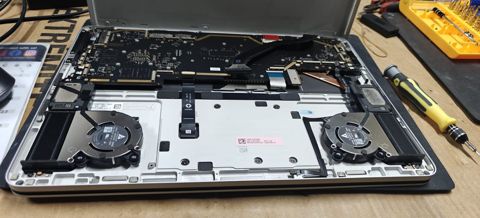
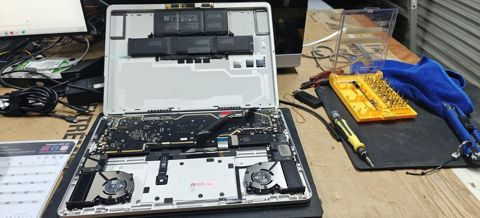
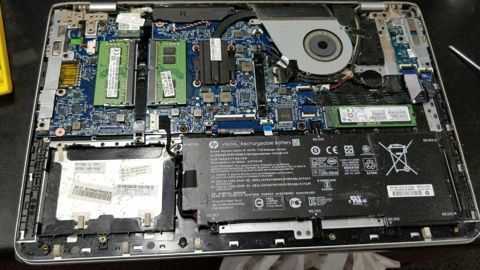
We open the machine and check the ribbon cable is fully seated in its connector, because one that has crept out after a previous repair or a knock produces exactly the same symptoms as a failed keyboard, for no parts at all.
How the replacement is done
Keyboards are matched by part number and layout, not by model name alone, since the same laptop often ships with backlit and non-backlit versions and different regional layouts. We confirm which one yours is before ordering.
On some laptops the keyboard lifts out from the top after a few screws. On many others it is fixed into the palm rest from the factory, so the part that gets replaced is the whole upper case, and we tell you which applies to your machine when we quote.
Once it is in, every key is tested individually, along with the function row, the backlight if fitted, and the trackpad and its click. We also check nothing is catching when the case is closed, because a keyboard that sits slightly proud will wear on the screen.
Spills, crumbs and single keys
A keyboard that stopped after a drink needs more than a new keyboard. The liquid has gone somewhere, and the board underneath needs inspecting and cleaning before a new part goes on top of the problem.
Individual keycaps and their small plastic clips can sometimes be replaced on their own, which is worth trying when one key has been knocked off and the mechanism underneath is intact. Where the clip has broken, the part is often specific to that model and range.
If a key is only intermittent and the laptop is otherwise healthy, tell us. Intermittent faults are the ones worth catching before they spread, and they are easier to diagnose while the key still works sometimes.
Cost, timing and whether to bother
Labour is a fixed $274 on any repair, and that includes the $88 diagnosis. The keyboard or upper case is quoted and approved before we order it. Most repairs are done within 72 hours, and parts that need ordering can add time, which we tell you about when we quote.
New parts carry a 12-month warranty, and workmanship is covered for 90 days. Pickup and delivery from your door is $50, with a morning, midday or afternoon slot.
Where the laptop is old and the keyboard only comes as part of an upper case, the part can be a large share of what the machine is worth. In that case an external keyboard is a reasonable stop-gap on a desktop setup, and we will say so rather than talk you into the repair.
Typical jobs
A typical job: a laptop where one side of the keyboard has stopped. We test with a USB keyboard to confirm the machine is fine, open it up and find the ribbon cable partly out of its connector, reseat it, and test every key rather than ordering a part that was not needed.
A typical example: a laptop with several worn keys that need a hard press. The keyboard is built into the upper case on that model, so we quote the whole part, fit it, and test the backlight, function row and trackpad click before returning it.
Another typical job: a keyboard that started repeating characters after biscuit crumbs got under the keys. We clean the mechanism where the keys can be lifted safely, and where a contact has already been damaged, replace the keyboard and test each key individually.
Questions
Some of my laptop keys have stopped working. Can they be fixed?
Can you replace just one key?
My keyboard types the wrong letters. Is it broken?
Is it worth replacing a laptop keyboard after a spill?
How long does a keyboard replacement take?
Laptop keyboard replacement: work in the workshop
Serving Mount Druitt and 12km around
Ready to get it fixed?
Book online in two minutes or call us. $274 fixed labour, diagnosis included.