
Windows reinstall and setup
Sometimes the quickest way back to a computer you can trust is a clean install of Windows. We copy your files off first, install cleanly, get the drivers and updates right, and put your files back where you expect them.
What we fix
- Windows that will not boot or loops at start-up
- Updates that fail over and over
- Machines too damaged to clean up in place
- Windows 11 upgrades and eligibility checks
- Activation, licence and account problems
- Fresh installs on new or replacement drives
When a reinstall is the right answer
A reinstall is not the first thing we reach for. Most Windows faults can be repaired in place: a failed update rolled back, system files repaired, a broken driver replaced. That keeps your programs and settings, so we try it first.
It becomes the better option when the same error keeps returning after repair, when the machine has been under someone else's remote control, when start-up is broken in a way that repair tools cannot mend, or when the drive is being replaced anyway.
It is also the sensible moment to start clean if the computer has years of software on it that nobody uses any more. Often a reinstall is what people are really asking for when they say the machine needs a fresh start.
Your files come off first
Nothing gets wiped until your data is off the machine and we can see it. We copy user folders, desktop items, browser bookmarks and saved passwords where we can, email data files for anything stored locally, and the less obvious places like the downloads folder and any second drive.
Tell us anything that lives outside the usual folders: accounting data, a scanning folder, saved game files, photos filed somewhere of your own. Those are the ones people notice missing a fortnight later.
If the drive is encrypted with BitLocker or Windows device encryption, we need the recovery key before we start. It is normally saved in your Microsoft account, and without it an encrypted drive cannot be read, even by us.
Licences, drivers and activation
On most machines made in the last decade the Windows licence is stored in the board's firmware, so it reactivates by itself after a clean install. Where it does not, a Microsoft account that the licence is attached to usually sorts it, which is worth knowing before the machine comes in.
Microsoft Office and other paid software are separate. Have the account those are attached to, or the product key, ready. We can reinstall Office once you can sign in, but we cannot recover a licence you do not have access to.
Drivers matter more than people think. We install the manufacturer's drivers for the exact model rather than leaving Windows to find generic ones, because that is the difference between a machine that works properly and one with no sound, a dead card reader or poor battery life.
Windows 11, and machines that cannot take it
Windows 10 stopped receiving regular security updates in October 2025, which is why upgrades are coming up in almost every conversation. Windows 11 has firm requirements, mainly the processor generation and TPM 2.0, and plenty of otherwise healthy machines do not meet them.
We check your machine against those requirements before doing anything, and often the block is a setting in the firmware rather than a hardware limit, which is quick to correct. If it is a genuine hardware limit, we say so rather than working around it in ways that leave you unsupported.
Where the machine cannot take Windows 11 and is not worth replacing yet, we will talk through what that means for how you use it and what to avoid doing on it.
What you get back
The machine comes back updated, activated, with the correct drivers, your files in place, your printer and email set up, and the programs you told us you need. We also set up a backup, so the next reinstall is a much smaller event.
There are things only you can redo. Passwords not saved in a browser, two-step verification on accounts that needs re-approving, and licences for software you bought yourself. We list what we could not carry across rather than leaving you to find out.
Labour is the fixed $274, including the $88 diagnosis, and a reinstall usually needs no parts. Most jobs are done within 72 hours. Workmanship is covered for 90 days, and where a new drive is part of the job, that part carries 12 months.
Typical jobs
A typical job: a laptop stuck in a restart loop after an update failed. We check the drive health, copy the user data off as a precaution, repair the install in place where possible, and only reinstall cleanly when the same fault returns.
A typical example: a home PC left unusable after a scam remote-access call. We take it offline, copy the files off, install Windows cleanly rather than trusting a clean-up, reinstall the manufacturer's drivers, and help set up new passwords from a different device.
Another typical job: a desktop on Windows 10 that the owner wants moved to Windows 11. We check the processor and TPM, correct a firmware setting that was blocking it, back up first, run the upgrade and confirm drivers and activation afterwards.
Questions
Will I lose my files if you reinstall Windows?
Do I need to buy Windows again after a reinstall?
Can you upgrade my computer to Windows 11?
My computer will not boot into Windows at all. Can it be fixed without wiping it?
How long does a Windows reinstall take?
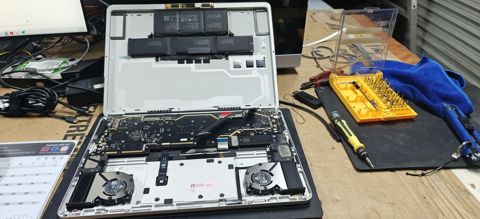
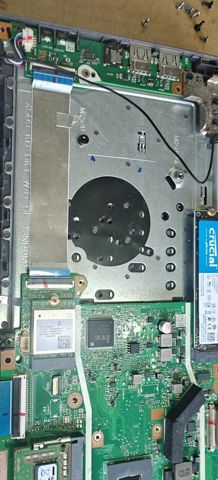
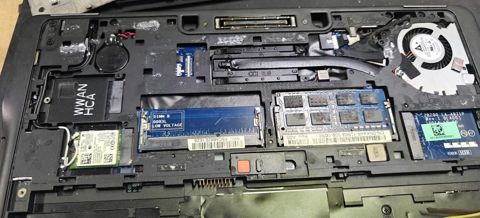
Windows reinstall and setup: work in the workshop
Serving Mount Druitt and 12km around
Ready to get it fixed?
Book online in two minutes or call us. $274 fixed labour, diagnosis included.